
Purpose
A CQ Administrator can configure Part Lifecycles to determine the Lifecycle Rules for the part to move through different lifecycle stages and finally getting activated.
Prerequisites
Installation Package: CQ Core, CQ PLM Extension
Product: ProductQuest
Function: Parts
User Profile: System Administrator
Permissions: CQ Base User PSG and CQ PLM Creator PSG and CQ Design Owner PSG
Steps
-
See Part Lifecycles.
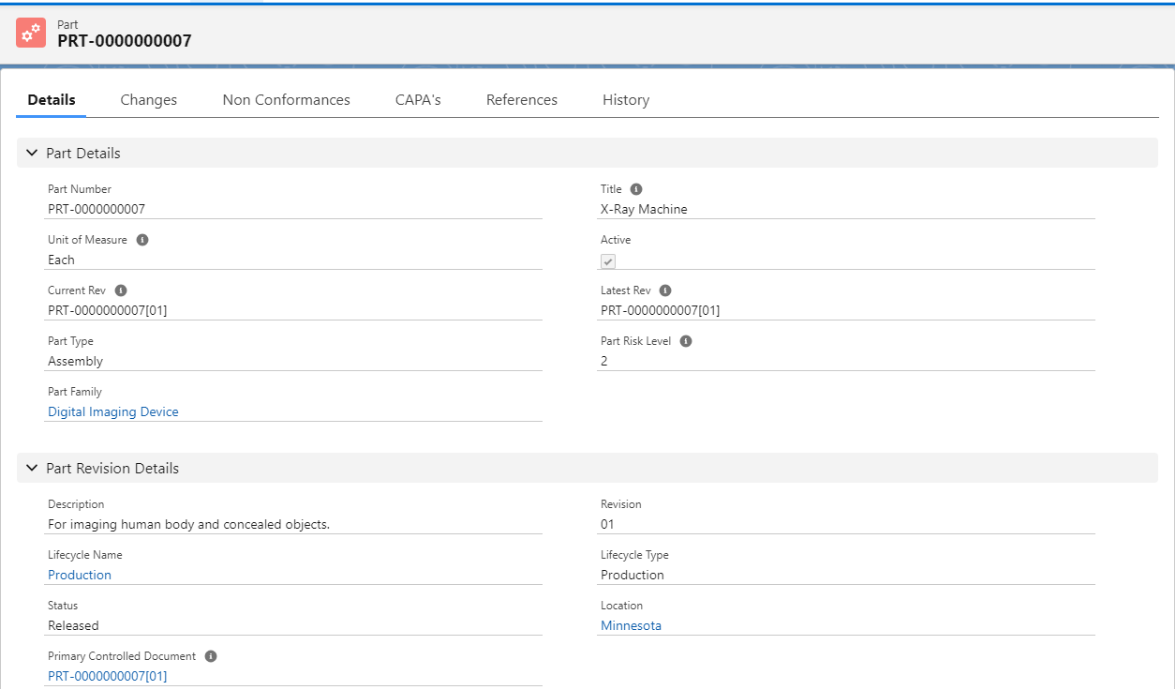
The Active checkbox under the Part Details section of the Part record is linked to the Part Lifecycle applied to the Part record. Some of the following rules applied are:
-
An Active Part typically relates to the Production Lifecycle.
-
In CQ PLM, not all Part Lifecycles are tied to Active Parts.
-
For a Part Lifecycle to be considered as Active Lifecycle, the Active checkbox in Part Details section must be checked.
-
Initially, the Active checkbox in Part Details section is not checked because the Part Revision status is not set to Current Revision.
-
The Part Revision status is set to Current Revision only when the Part Revision reaches a Released Stage through a Change Order process.
Expected Outcome
-
Part Lifecycle is added.
Additional Resources
ComplianceQuest
-
Part Lifecycles
We Value Your Feedback
To provide feedback or suggestions to improve the help content on this page click here.