
Overview
Creating Design FMEAs from the Design File embeds risk-by-design into your development workflow. It lets you initiate the DFMEA where the product’s records live, then populate structure, failure modes, effects, detections, and risk controls with full traceability to related design artifacts supporting proactive risk reduction, collaboration, and audit-ready documentation. Best practice in ComplianceQuest is to create the DFMEA directly from the Design File rather than from the standalone FMEA tab.
Prerequisites
Available in: CQ Design
Installed Package(s): CQ Core, CQ Design Extension & CQ Process Extension - Winter 2025
Optional Extension Packages: myCQ & CQ PLM- Winter 2025
User Profile: Standard User
Permissions: CQ Base User PSG, CQ Design Owner PSG, and CQ Design Team Member PSG
Instructions
Linking or Creating Design FMEAs
-
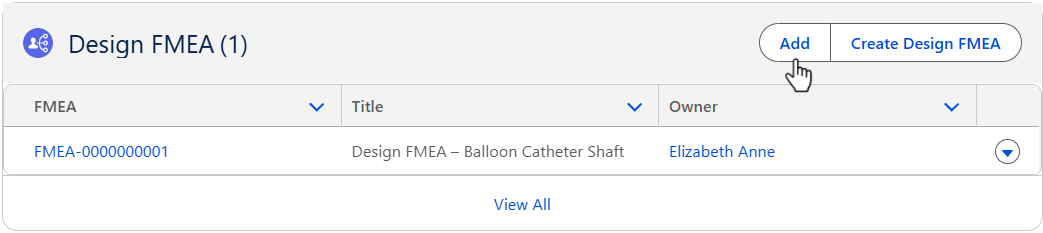
From the Design File record, Risk tab, Design FMEA section, click the Add button.
-
From the Design File record, Risk tab, Design FMEA section, click the Create Design FMEA button. (If no Design FMEAs existed in the system.

-
See the Adding or Creating Design FMEA specific to the Design FMEAs to be Added or Created.
Results
-
The Design FMEAs record is added/created in the Design File record.
-
Edit and Delete options are available from the drop-down arrow at the end of each Product Risk row.
-
Click View All to see all Design FMEAs.
Troubleshooting
-
Check back for new articles