
Purpose
As an Approver, you can review a CAPA Implementation to confirm the completed actions meet requirements. This approval verifies the implementation is complete and ready for the next stage in the CAPA process.
Prerequisites
Installation Packages: CQ Core, CQ EHS Extension, CQ Forms
Product: SafetyQuest
Function: Work Record
User Profile: Standard User
Permissions: CQ Base User PSG, CQ EHS Base User PSG, and CQ Permit Approver PSG
Work Record: Permits must be submitted through Work Record
Record Status: In Review
Steps
-
Open the Email notification or a Home tab notification.
-
Click Approve/Reject to open the CAPA.
-
Click Approve or Reject in the Next Best Actions section.
-
Provide Comment and Password, if required.
-
Click Approve or Reject.
Expected Outcome
-
The approval decision is recorded on the Workflow tab.
-
If approved, the Observation Stage is Pending Change Order and Status is Complete.
-
If rejected, the Observation Stage is Rejected and Status is Closed.
-
The Approval activity appears in the Record Activities section on the History tab.
Additional Resources
ComplianceQuest
We Value Your Feedback
To provide feedback or suggestions to improve the help content on this page click here.
Completing Approval for Effectiveness Reviews
For Permission Set Groups: CQ Base User PSG, CQ CAPA Approver PSG
Once the Effectiveness Review is submitted for Approval, the assigned Approver can access the record to review and Approve.
-
From the Home tab select the Approve/Reject link for the CAPA to review for Approval.

-
From Next Best Actions, click the Review Response button as needed.
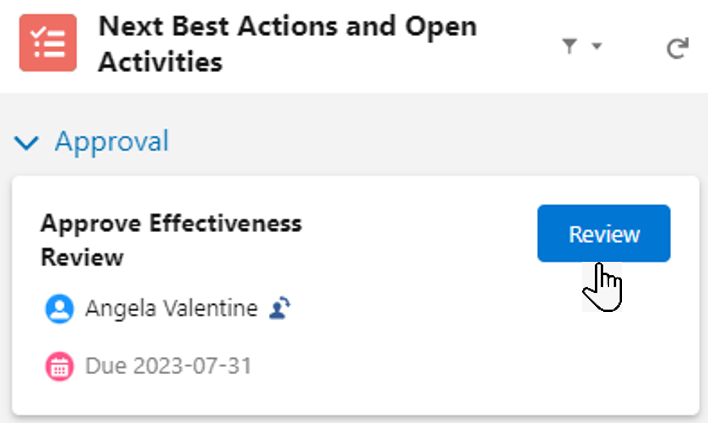
-
From Next Best Actions, click the Approve or Reject button as needed.
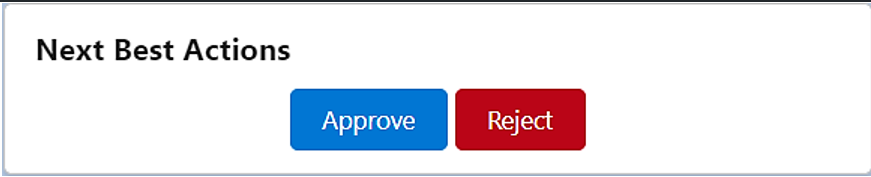
-
Follow the steps to complete the Approval. See Completing Approvals for more information on how to complete Approvals for CQ records.
Results
Effectiveness Review Approved
-
The Effectiveness Review record displays an Approved Approval Status and Complete Status.
-
An email is sent to the CAPA Owner notifying that the Effectiveness Review was Approved and a link is provided to access the record.
-
The CAPA record moves to the Closed Status and Closed Stage.
-
Approving Effectiveness Review activity is logged in the CAPA Record Activities section under the History tab.
-
Closing CAPA activity is logged in the CAPA Record Activities section under the History tab.
Effectiveness Review Rejected
-
The Effectiveness Review approval routing has now been stopped.
-
The Effectiveness Review record displays a Rejected Approval Status and Pending Status.
-
An email is sent to the CAPA Owner notifying that the Effectiveness Review was Rejected and a link is provided to access the record.
-
The CAPA record remains in a Complete Status and Verification Stage.
-
Rejecting Effectiveness Review activity is logged in the CAPA Record Activities section under the History tab.
-
The CAPA Owner needs to update and resubmit the Effectiveness Review for approval based on rejection remarks.