
Purpose
As a Record Owner, you access Product History Reviews (PHRs) to view information recorded about the product’s past events and quality history. You review the available PHRs to understand findings that may affect the assessment or investigation of the complaint.
Prerequisites
Installation Package: CQ Core, CQ Regulatory Reports Extension, CQ AS2 Gateway Extension, myCQ Extension, and CQ AI Extension
Product: QualityQuest and Platform Apps
Function: CQ PHR Access
User Profile: Standard User
Permissions: CQ Base User PSG, CQ Complaint Non DT Task Assignee PSG
Configurations: CQ Tasks
Steps
-
From the Home tab, select the View link for the Product History Review Task.
-
From the Complaint record, under Next Best Actions, click the Perform PHR button.
-
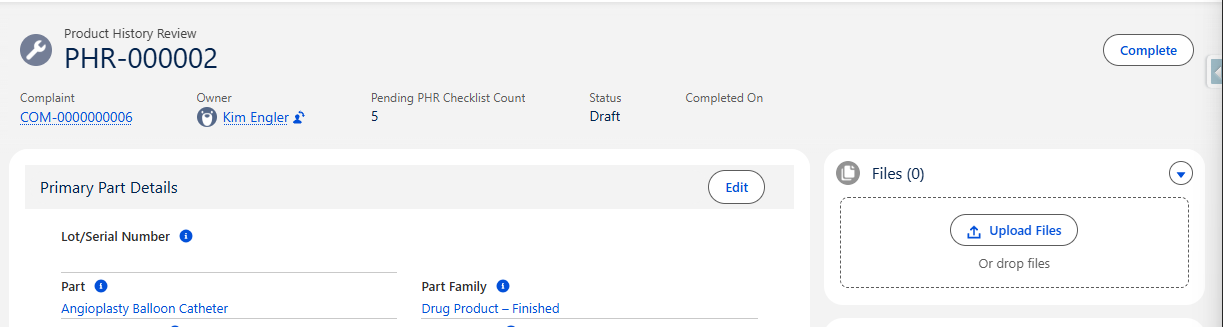
Complete the PHR by entering any of the information needed below.
Example:
Expected Outcome
-
You can view the Product History Reviews linked to the complaint and identify information relevant to assessment or investigation.
Additional Resources
ComplianceQuest
We Value Your Feedback
To provide feedback or suggestions to improve the help content on this page click here.