
Purpose
As a Standard User, you can sign in to your Salesforce Sandbox or Production account from Microsoft Teams to connect to CQ.AI Assistant.
Prerequisites
Installed Package(s): CQ Core, CQ.AI Extension
Product: Platform & Technology
Function: CQ.AI Agent
User Profile: Standard User
Permissions: CQ Base User PSG, CQ NC Owner PSG, CQ Design Owner PSG, Prompt Template User, Data Cloud User, CQSS AI User PSG
Steps
-
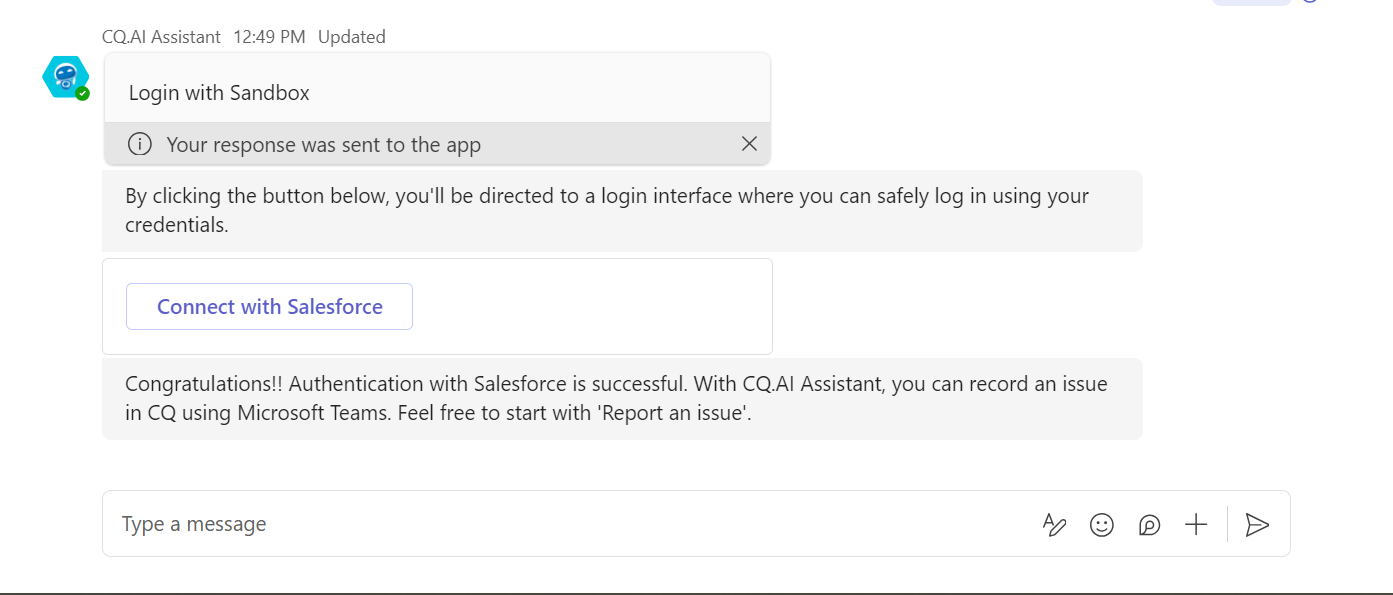
Click Login with Sandbox or Login with Production.
-
Click Connect with Salesforce.
-
Enter your Username and Password.
-
Click Log In to Sandbox or Log In.
-
Click Allow.
Example:
Expected Outcome
-
You are authenticated in your Salesforce account in Microsoft Teams.
-
You see this message:
“Congratulations!! Authentication with Salesforce is successful. With CQ.AI Assistant, you can record an issue in CQ using Microsoft Teams. Feel free to start with 'Report an issue.'”
Additional Resources
ComplianceQuest
We Value Your Feedback
To provide feedback or suggestions to improve the help content on this page click here.