
Purpose
As a Record Owner, you add a new disposition to define how the nonconforming product or process will be handled. You select the disposition option and record the required details so the decision is documented before the nonconformance moves forward.
Prerequisites
Installation Package: CQ Core, myCQ Extension, CQ Supplier Central, CQ Supplier Performance, CQ Ratings Framework, CQ Embedded Analytics, and CQ AI Extension
Product: QualityQuest and Platform Apps
Function: CQ NC Disposition Addition
User Profile: Standard User
For Permission Set Groups: CQ Base User PSG, CQ NC Owner PSG
Steps
-
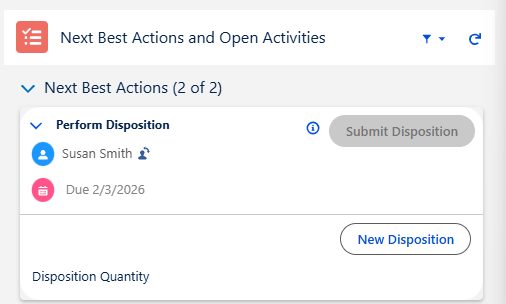
From the NC record, Disposition tab, click the Add Disposition button under Next Best Actions.
-
Select the Assignee (defaults to current User).
-
Optionally, enter the Disposition By personnel if the Disposition has already been carried out and the NC Owner is signing off on the Disposition task.
-
Select the Disposition Type.
See your CQ Administrator for how to configure pre-defined Disposition Types.
-
Optionally, enter or select Due Date for Disposition.
-
Select Part > Lot > Sublot # (drop-down values transfer from Impacted Part Lot).
-
Select whether or not the Disposition Is Complete? If selected, the Completed On and Completed By fields appear below and are autopopulated with today’s date and the User creating the Disposition.
-
Enter the Disposition Quantity (calculates against the Quantity field under the Impacted Part Lot).
-
Optionally, enter the Disposition Justification if Disposition is Complete.
-
Optionally, enter a Comment.
-
Optionally, Drop/Upload Files associated with the Disposition.
-
Click the Save button or Save & New for additional Dispositions.
Example:
Expected Outcome
-
The Disposition task has been added to the NC record.
-
The Disposition task will display an Open Status if no Approval is Required and the Assignee will receive notification to complete the Disposition.
-
The Disposition task will display a Complete Status if no Approval is Required.
-
The Disposition task will display a Draft Status if Approval is Required.
Additional Resources
ComplianceQuest
We Value Your Feedback
To provide feedback or suggestions to improve the help content on this page click here.