Viewing NC Analytics
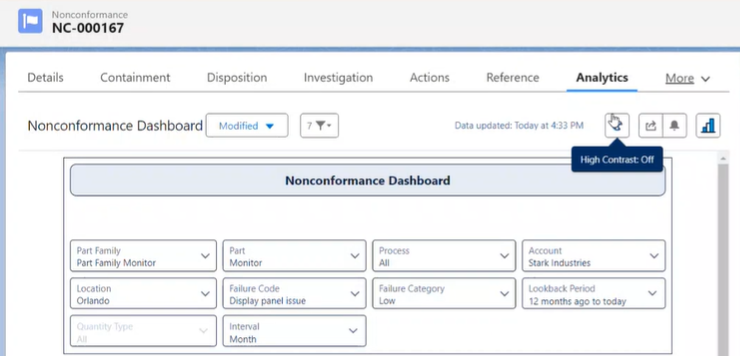
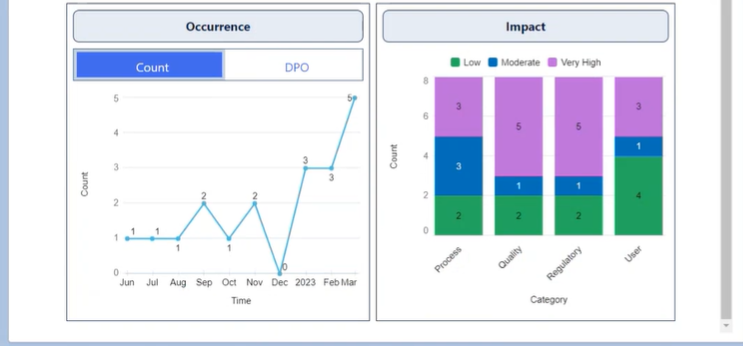
NC Owners can check for any Pre-defined Trend Charts which can be viewed from the Analytics tab in the Nonconformance. The following Trend Charts are provided off-the-shelf with NC and can be modified by a system administrator using CQ Reports & Dashboards:
-
Occurrence by Count
-
Occurrence by Defects Per Opportunity (DPO) - configurable by need of the customer. See NC External Data in Data Manager
-
Impact
-
From the NC record, select the Analytics tab.