
Problem
When Defining Approvers or Reassigning Approvers for a CQ record, the system does not display the Queue associated with the selected Job Function. This prevents approver assignment based on queue routing rules, disrupting the intended approval workflow.
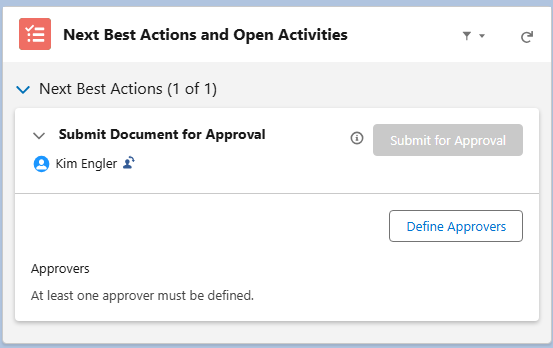
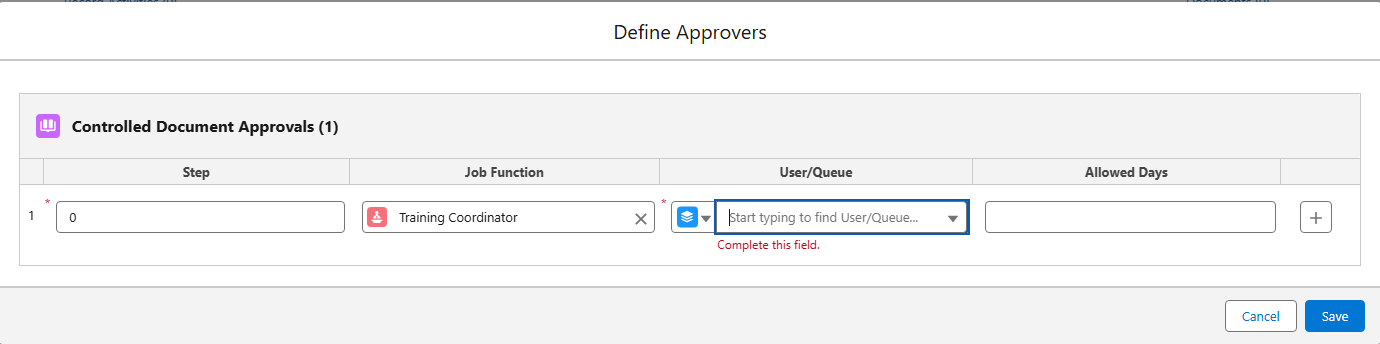
Expected Behavior:
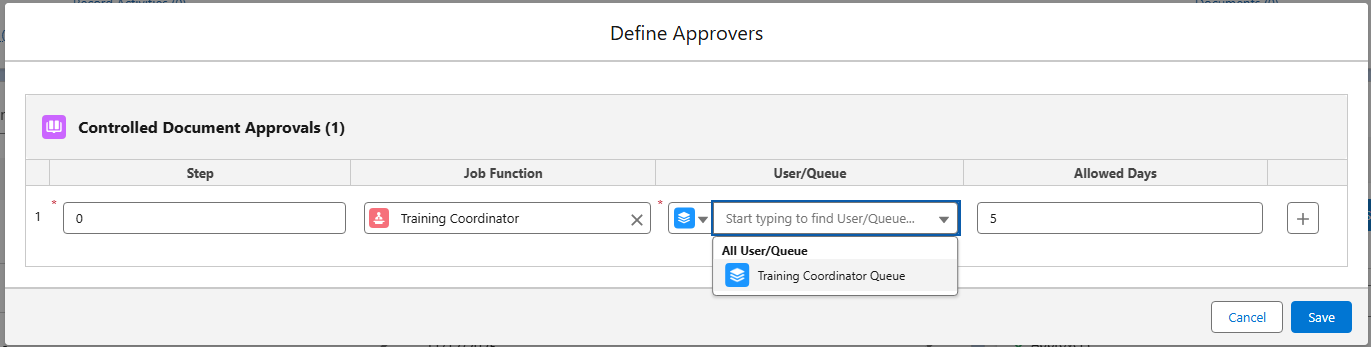
Upon entering a Job Function in the Define Approvers window, all Queues mapped to that Job Function should be displayed for selection.
Solution
-
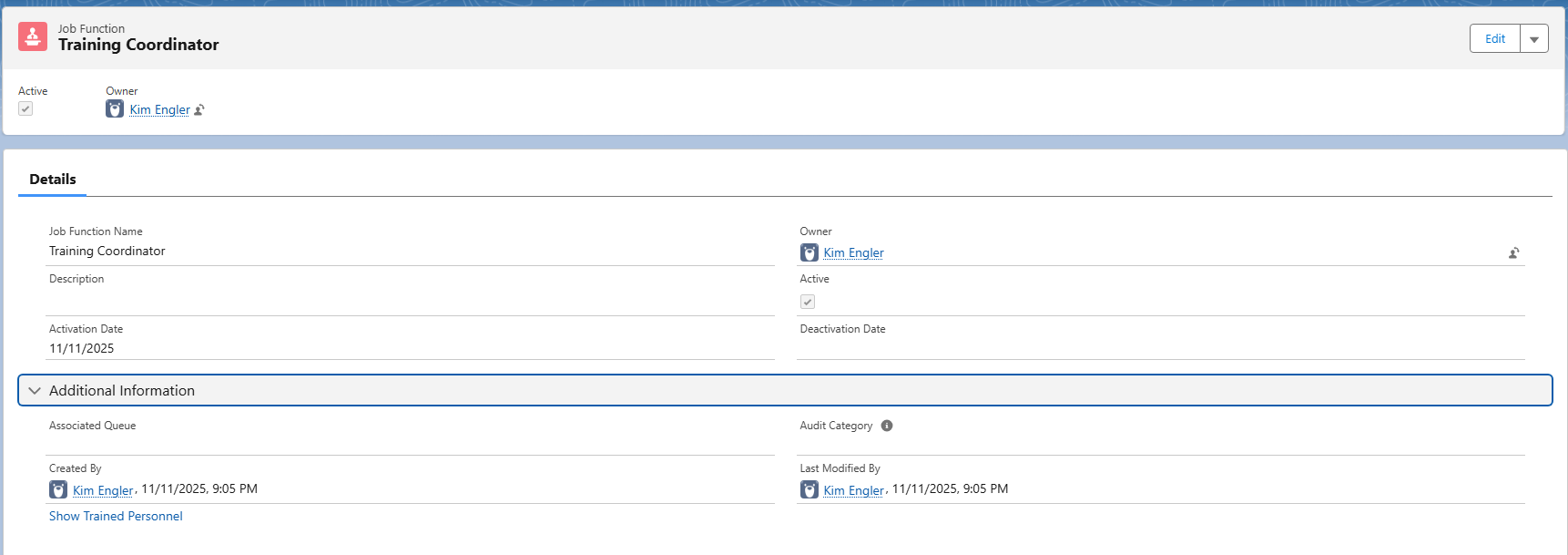
Navigate to the Job Functions tab and select the Job Function Name.
-
Verify that the appropriate Queue is displayed under the Associated Queue field.
Solution Scenarios
-
If Associated Queue is not listed under the Job Function:
-
Select the Associated Queue action and enter the Associated Queue.
-
If no Queue is listed, Create the Queue under User Management Settings.
-
Related Articles
-
Creating Queues
-
Managing Job Functions