
Overview
Document Owners can set retraining requirements all Personnel linked to the Job Function directly from a Controlled Document record in CQ. Retraining ensures that employees remain compliant and up-to-date when a document is revised, updated, or requires periodic review.
By configuring retraining on a Controlled Document requirement, Document Owners can proactively manage training cycles, maintain regulatory compliance, and ensure that personnel have the latest knowledge to perform their roles effectively.
Prerequisites
Available in: Controlled Documents
Installed Package: CQ Core - Winter 2025
Optional Extension Packages: CQ Forms, CQ Laboratory Issues, CQ Process, and CQ EHS - Winter 2025
User Profile: Standard User
Permissions: CQ Base User PSG and CQ Document Owner PSG
Training Requirement: Must be in a Status of Active
Instructions
-
From the Controlled Documents tab, locate and select the Pre-release or Current Document.
-
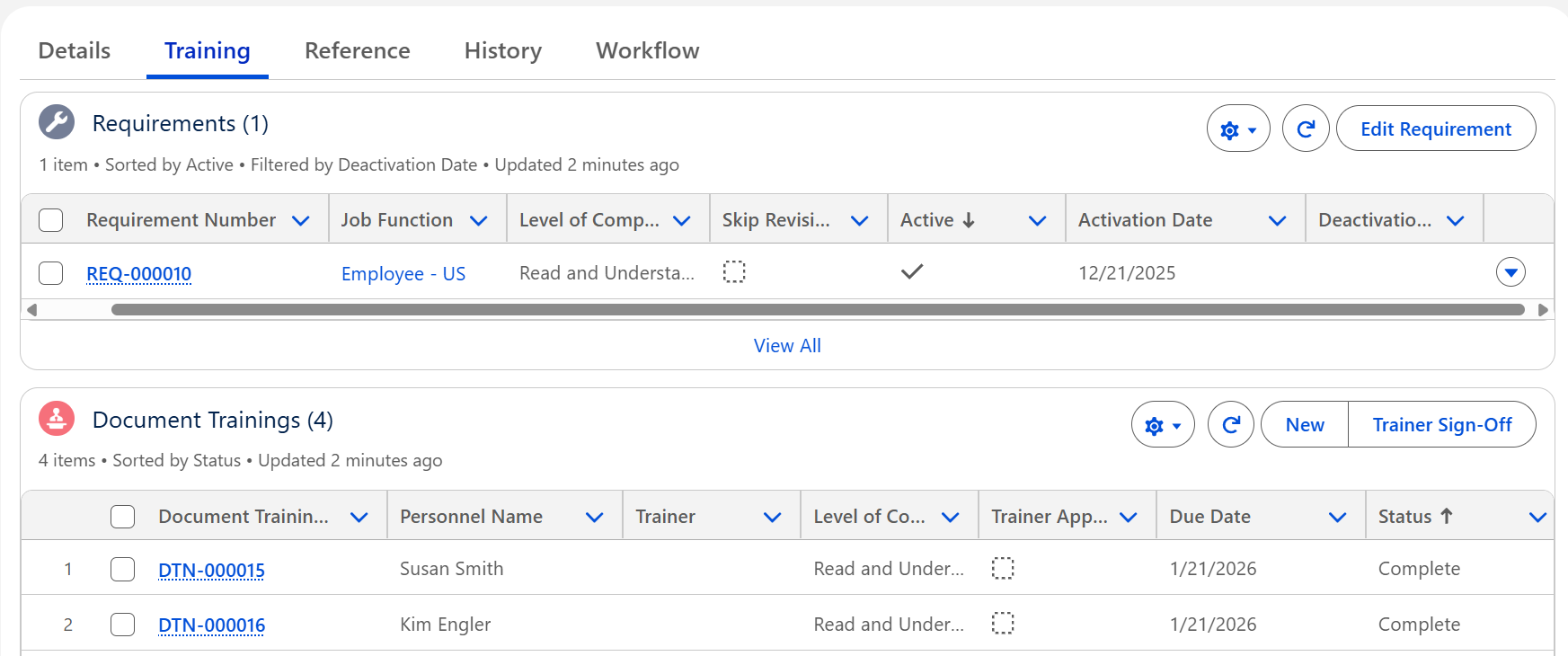
From the Controlled Document record, click the Training tab to verify Requirements.
-
Select the Retrain option from the Action Menu.

-
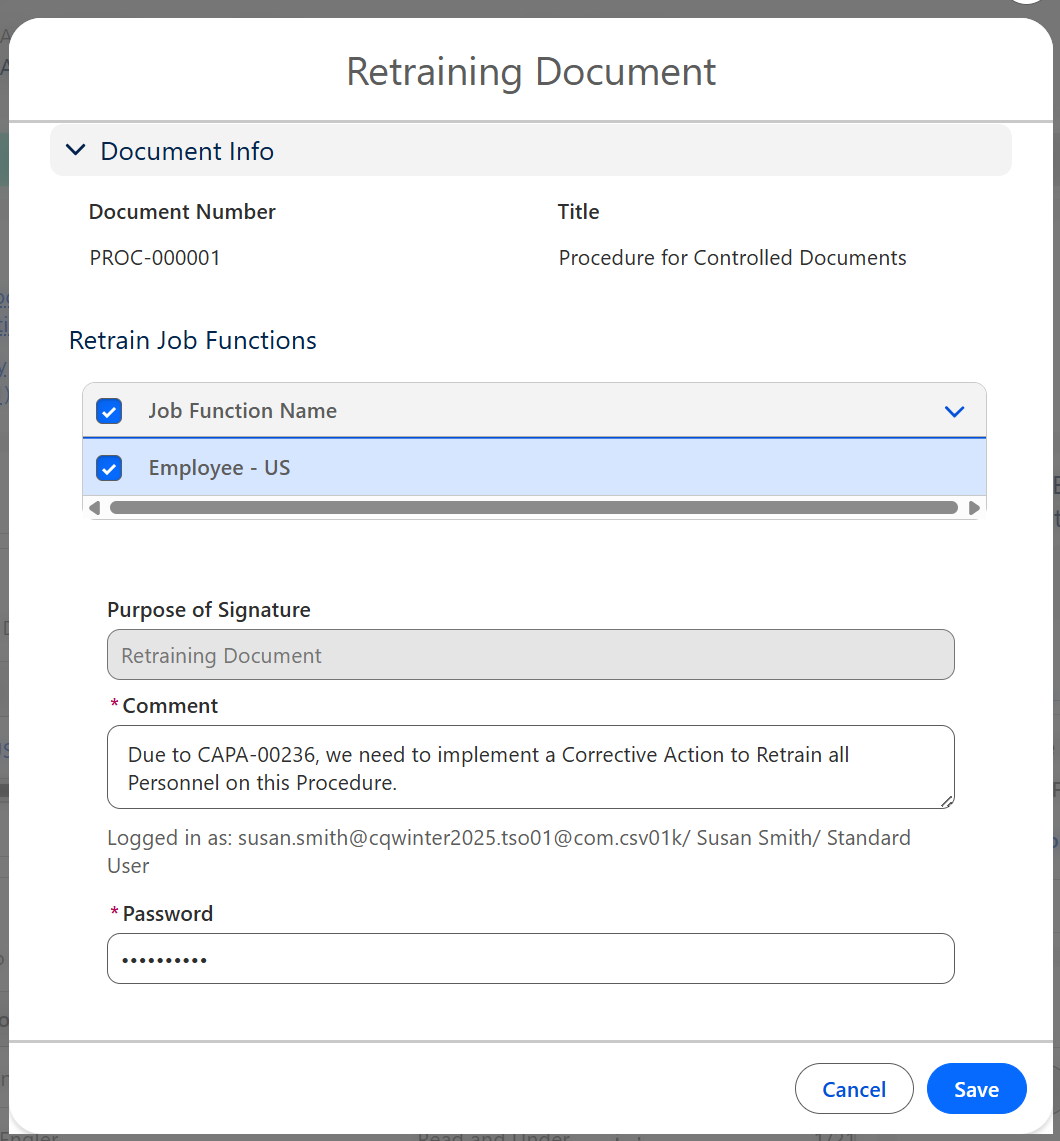
Check off which Requirements will need to be set for Retraining.
-
Unknown Attachment
Check off which Requirements will need to be set for Retraining.
-
Enter Comment and Password if required for eSignature Policies.
-
Click the Save button.

Results:
-
Any DTNs currently in a Pending Status for the assigned Job Function will be obsoleted.
-
Retraining DTNs are automatically generated for Personnel according to their assigned Job Functions.
-
An email is sent to the Trainee notifying them that require sign off on the document assigned to their job function, and a link is provided for access to the Controlled Document.
-
Retraining Document activity is logged in the Controlled Document Record Activities section under the History tab.
Troubleshooting
-
Check back for new articles
Additional Resources
CQ Resources
-
Editing Document Training Requirements
-
Recording Document Training History
-
Signing off as Trainee for Document Training
Summer 2026