
Purpose
As a Record Owner, you view MDR Device Analytics to review metrics and charts related to device‑specific complaint reporting. You examine the available data to understand trends or patterns that support evaluation and regulatory decisions.
Prerequisites
Installation Package: CQ Core, CQ Regulatory Reports Extension, CQ AS2 Gateway Extension, myCQ Extension, and CQ AI Extension
Product: QualityQuest and Platform Apps
Function: CQ MDR Device Analytics Access
User Profile: Standard User
Permissions: CQ Base User PSG, CQ Complaint Regulatory Owner PSG
Steps
-
From the App Launcher, search and select Analytics Studio, click the Browse button, select Dashboards, and click the MDR Dashboard.
Example:
Expected Outcome
-
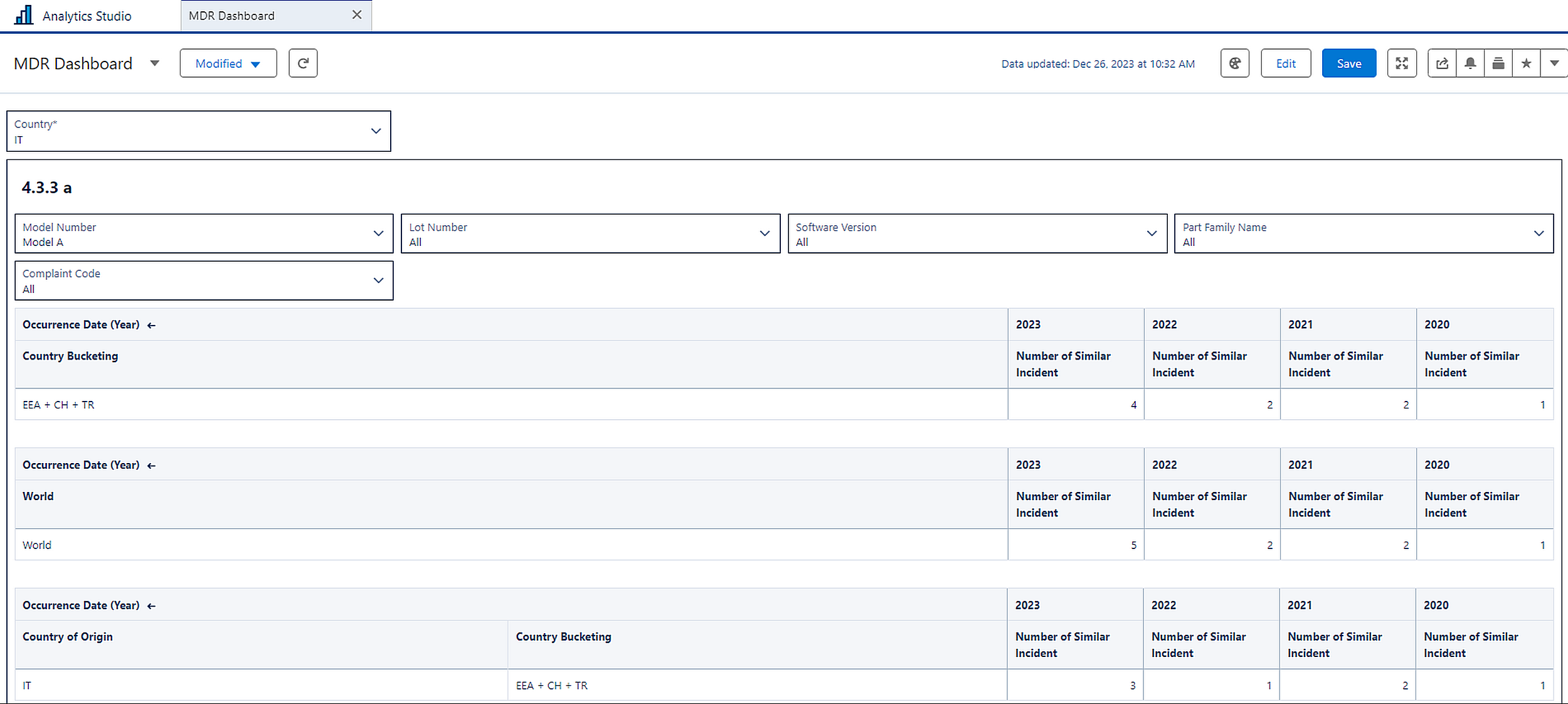
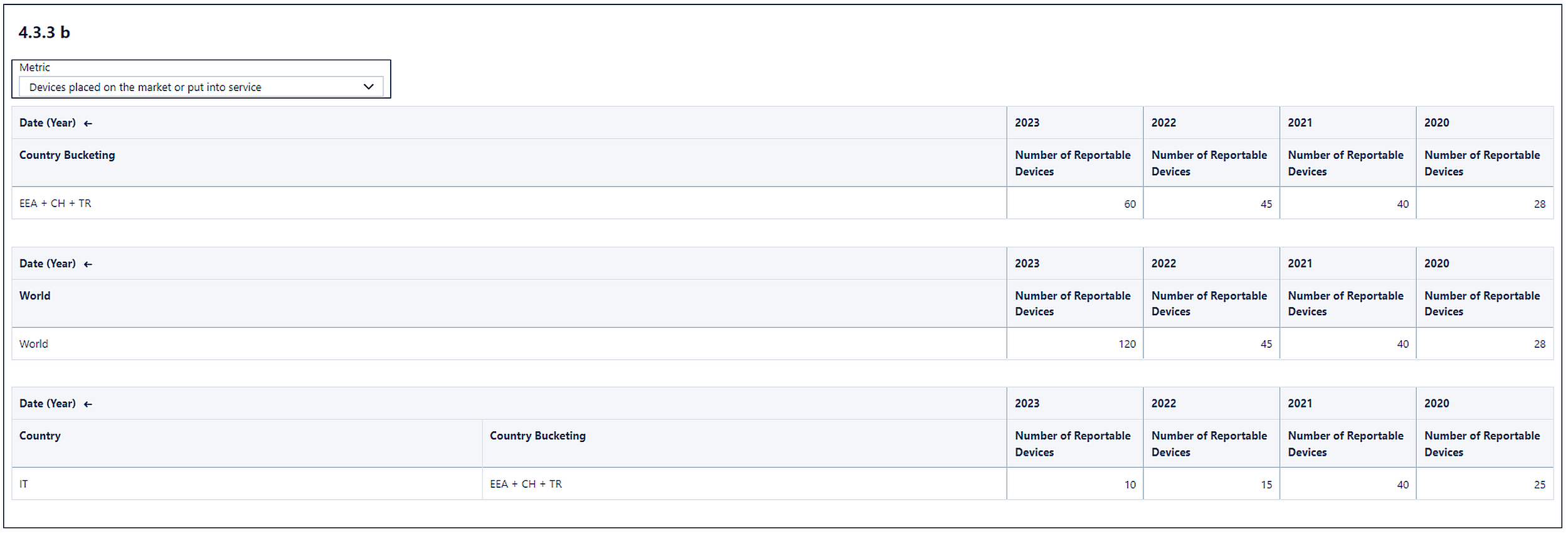
MDR Dashboard is available with two sections (4.3.3 a and 4.3.3 b). Country and Complaint Code lookup fields are available.
-
In 4.3.3 a, Model Number, Lot Number, Software Version, Complaint code, and Part Family Name lookup fields are available. The Number of Similar Incident is displayed for the selected Country, EEA+CH+TR, and the World for different Complaint occurred Date (Year).
-
In 4.3.3 b, the metric lookup field is available. The Number of Reportable Devices is displayed for the selected Country, EEA+CH+TR, and the World for different Dates (Years).
Additional Resources
ComplianceQuest
We Value Your Feedback
To provide feedback or suggestions to improve the help content on this page click here