
Purpose
As a Project Owner, initiate a Design Project so it can progress from the New to Plan Stage.
Prerequisites
Installation Package: CQ Core, CQ Design Extension, CQ Management Review Dashboard Extension
Product: ProductQuest
Function: Design Projects
User Profile: Standard User
Permissions: CQ Base User PSG, CQ Design Owner PSG
Design Project Record Status: Draft
Steps
-
Open the Project record.
-
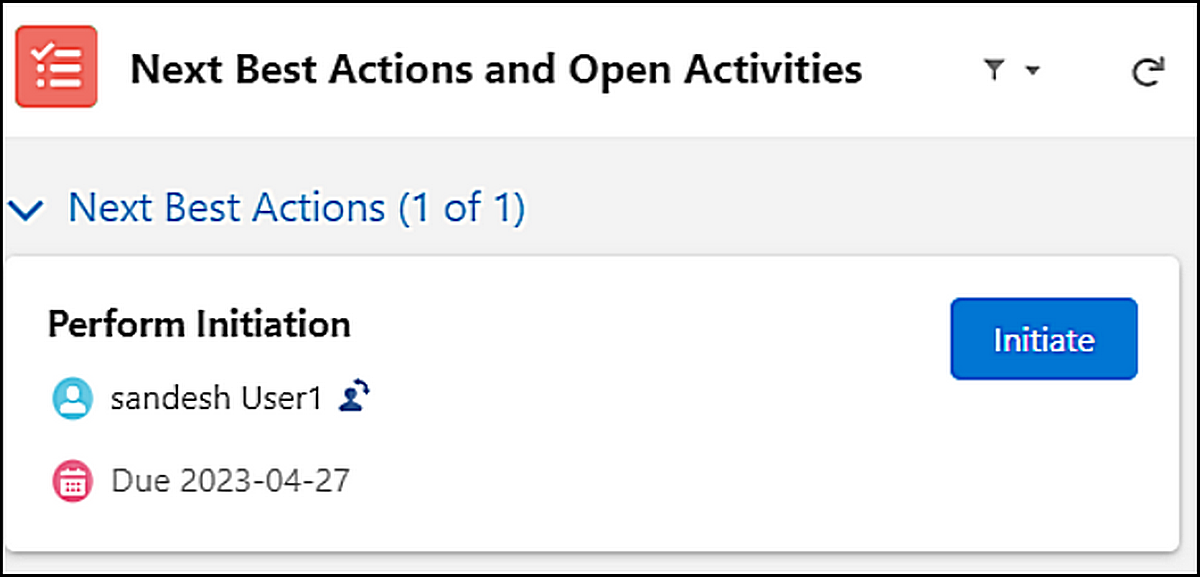
Click Initiate in the Next Best Actions section.
-
Specify this information:
-
Title
Defaults to open record Title. -
Description
Defaults to open record Description. -
Project Category
Defaults to open record Project Category. -
Approval Matrix
Specify the Approval Matrix, if applicable. -
Actual Start Date
Specify the Actual Start Date, if applicable.
-
-
Provide a Comment and Password, if applicable.
-
Click Save.
Expected Outcome
-
Design Project Status is Open.
-
Design Project Stage is Plan.
-
The Submit Plan button appears in the Next Best Actions section, if Plan Approval is required.
-
The Complete Plan button appears in the Next Best Actions section, if Plan Approval is not required.
-
The Initiate Project activity appears in the Project Record Activities section on the History tab.
Additional Resources
ComplianceQuest
We Value Your Feedback
To provide feedback or suggestions to improve the help content on this page click here.
Delete after page is completed above:
Initiating CAPAs
For Permission Set Groups: CQ Base User PSG, CQ CAPA Owner PSG
The CAPA has been created, details have been added, policies have been set, and the record is ready to be initiated by the CAPA Owner.
-
From the CAPA record, under Next Best Actions and Open Activities, in the Perform Initiation section, click the Initiate button or select the Initiate option from the Action Menu.
-
The Initiating CAPA window displays. Verify all required information is correct or edit as needed.
-
Enter Comment and Password if needed, and click the Save button.
Results
-
The CAPA is initiated and moves to the Open Status and Investigate Stage.
-
Initiating CAPA activity is logged in the CAPA Record Activities section under the History tab.
-
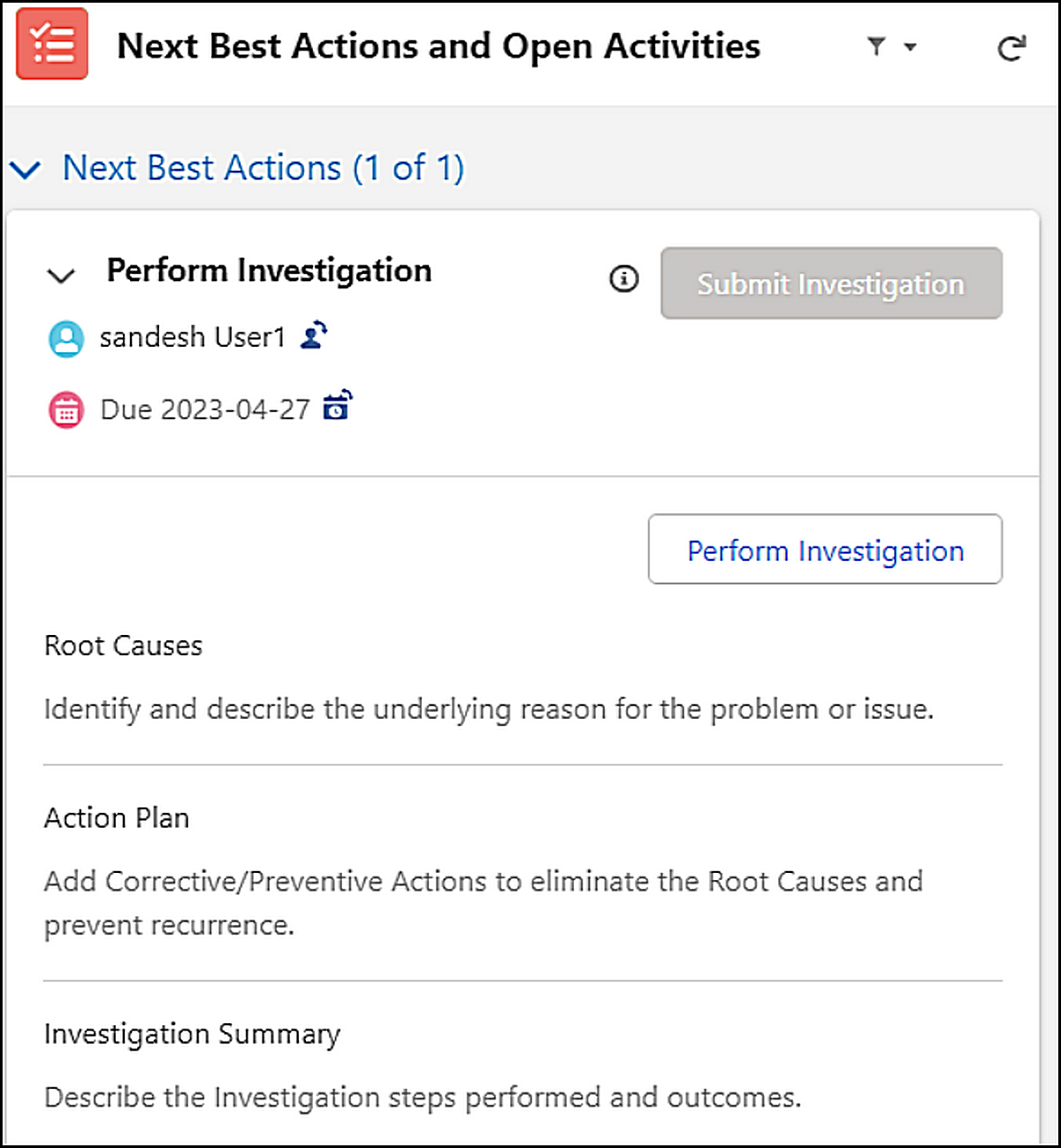
Under Next Best Actions and Open Activities, in the Perform Investigation section, the Perform Investigation button is enabled. The Owner for the task is the User who initiated the CAPA record. Due Date and Change Owner icons are available for the task.