
Purpose
As a Document Owner, undo document check out to discard unsaved edits and release the locked file.
Prerequisites
Installation Package: CQ Core
Product: QualityQuest
Function: Controlled Documents, Template Documents
User Profile: Standard User
Permissions: CQ Base User PSG, CQ Document Owner PSG, Third-party license for file used
Content Status: Checked Out
Steps
-
Open the Controlled Document record.
-
Click Undo Check Out in the Content section.
-
Provide a Comment and specify the Password, if applicable.
-
Click Save.
Note: For Office 365 files, you can also use the built-in Undo Check Out option.
Example
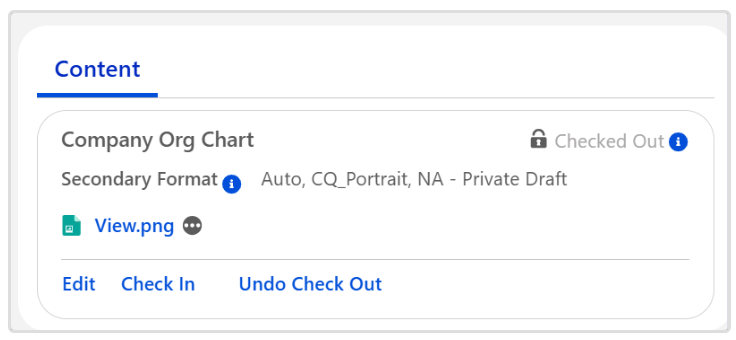
Expected Outcome
-
The Content is checked in.
-
The Content Status is set to Checked In.
Additional Resources
ComplianceQuest
We Value Your Feedback
To provide feedback or suggestions to improve the help content on this page click here.