
Audience
Standard User
Purpose
The purpose of linking a Control Plan to a Design File is to establish a structured, traceable framework for monitoring and controlling critical process and product characteristics throughout the product lifecycle. This linkage ensures that quality checks, measurement methods, and risk controls are consistently applied at each process step, aligning outputs with customer and regulatory requirements. By maintaining a living, version-controlled record that connects processes to product requirements and associated documents, the Control Plan supports compliance, continuous improvement, and effective quality assurance.
Prerequisites
Available in: CQ Design
Installed Package(s): CQ Core, CQ Design Extension & CQ Process Extension - Winter 2025
Optional Extension Packages: myCQ & CQ PLM- Winter 2025
User Profile: Standard User
Permissions: CQ Base User PSG, CQ Design Owner PSG, and CQ Design Team Member PSG
Instructions
Linking or Creating Control Plans
-
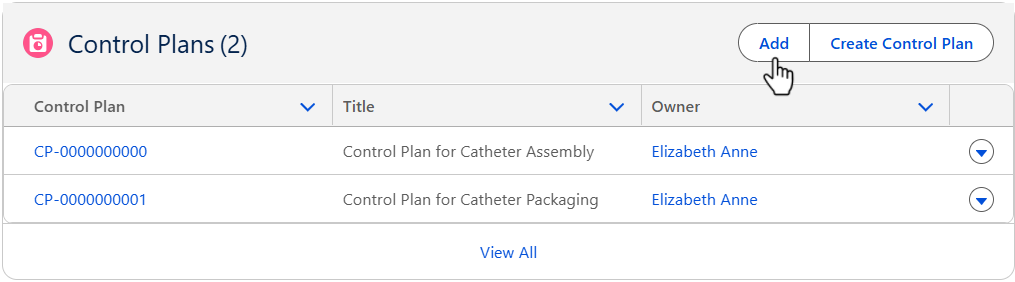
From the Design File record, Process tab, Control Plans section, click the Add button.
-
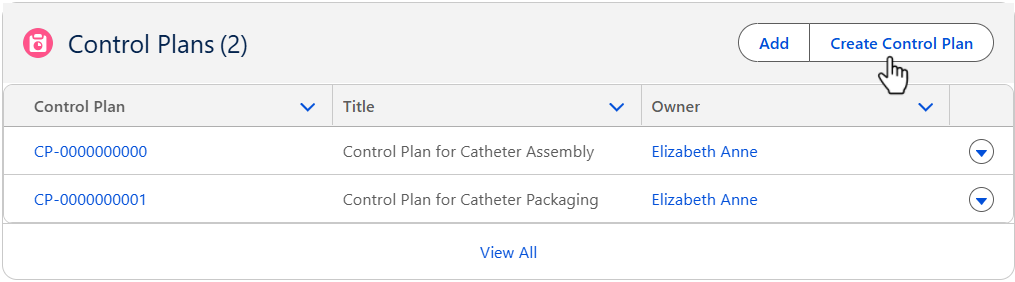
From the Design File record, Process tab, Control Plans section, click the Create Control Plan button. (If no Control Plans existed in the system)
-
Select the CQ Resource link below specific to the Control Plans to be created and managed to complete the Control Plans process.
Results
-
The Control Plans are created in the Design File record.
-
Edit and Delete options are available from the drop-down arrow at the end of each Control Plan row.
-
Click View All to see all Control Plans.
Troubleshooting
-
Check back for new articles
Additional Resources
CQ Resources
Creating Control Plans from the Process record (CQ Process Extension)
Linking or Adding Control Plans from the Design Files record (CQ Design Extension)