
Overview
Trainers and Managers can access Document Training in CQ to complete sign-off for training completed by their trainees. Manager or trainer sign-off provides an additional layer of verification, ensuring that personnel have successfully reviewed and understood the Controlled Document as required by organizational and regulatory standards.
By following the steps in this guide, Trainers and Managers will learn how to locate assigned training records, review trainee completion status, and perform their sign-off to confirm compliance.
Prerequisites
Available in: Controlled Documents, Template Documents, and Courses
Installed Package: CQ Core - Winter 2025
User Profile: Standard User
Permissions: CQ Base User PSG and CQ Trainer PSG
Document Status: Pre-release or Current
Email Notification: Trainer Sign Off notification is available in Trainee’s Inbox
Instructions
-
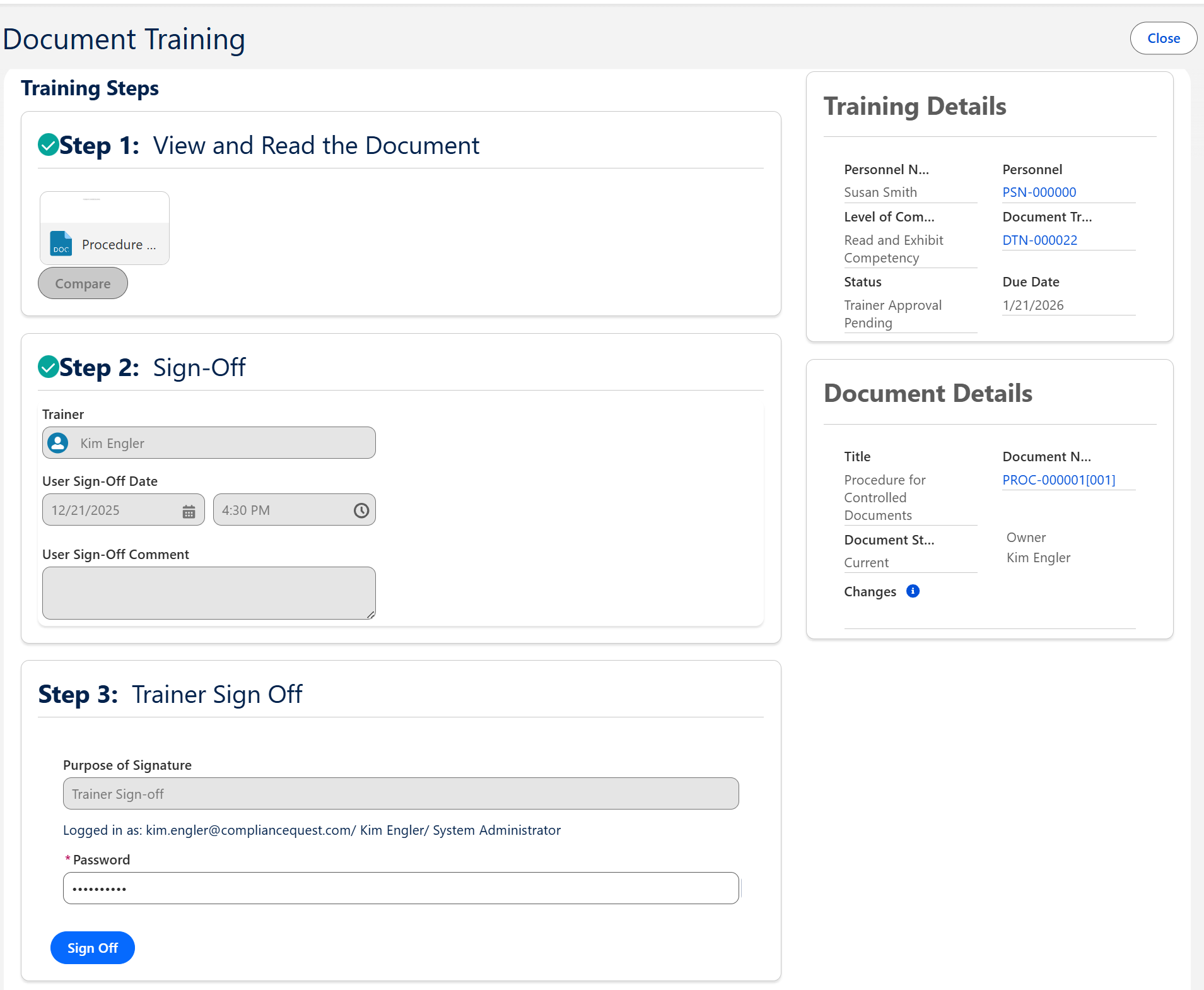
From the Home tab select the Trainer Signoff link for the Document Training.

-
Complete the Steps for Document Trainer Sign-off.
-
See CQ End User Guide - Training Management for more information on the various Steps needed for Document Trainer Sign Off.
-
Enter Comment and Password if required for eSignature Policies.
-
Click the Sign Off button.
Results
-
Document Trainer Sign Off is complete and the Personnel is now Current on the Document Training Requirement.
-
See CQ End User Guide - Training Management for more information on access Personnel Records to view Training History.
Troubleshooting
-
Check back for new articles
Additional Resources
CQ Resources
-
Signing off as Trainee for Document Training
-
CQ End User Guide - Training Management
Summer 2026