
Purpose
As a Record Owner, you retry a report submission when a previous attempt did not complete successfully. You review the submission details, make any required updates, and resubmit the report so the complaint reflects the current reporting status.
Prerequisites
Installation Package: CQ Core, CQ Regulatory Reports Extension, CQ AS2 Gateway Extension, myCQ Extension, and CQ AI Extension
Product: QualityQuest and Platform Apps
Function: CQ Report Submission Retry
User Profile: Standard User
Permissions: CQ Base User PSG, CQ Complaint Regulatory Owner PSG
Steps
This is applicable only for Medwatch.
-
From the Complaint record, Regulatory tab, Report Submissions section, click the appropriate Form link.
-
Alternatively, from the Complaint record, under Next Best Actions and Open Activities, in the Regulatory Reporting section, click the Goto Record button for the appropriate report.
-
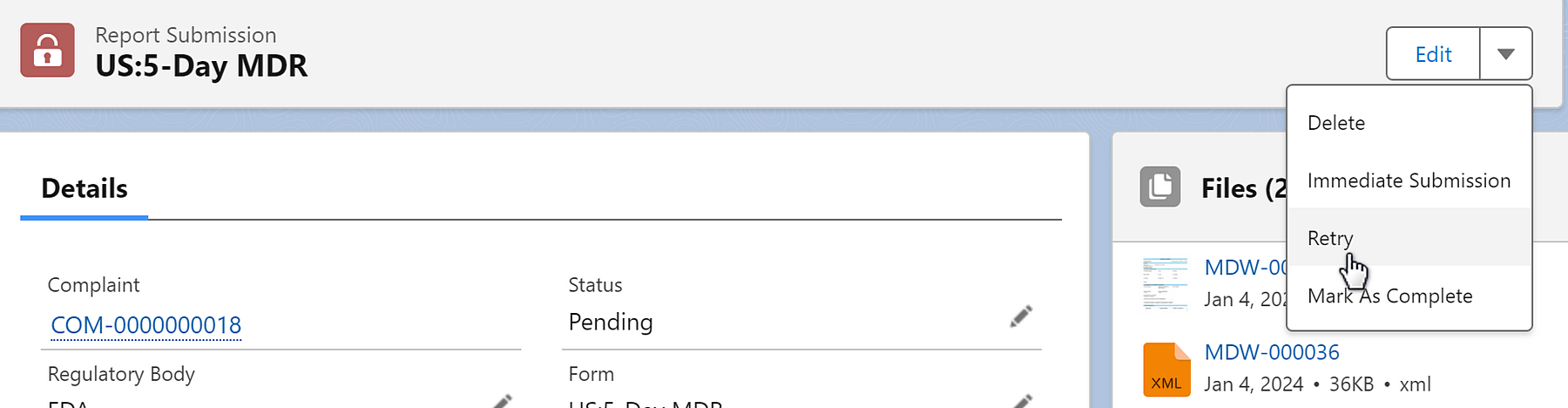
From the Report Submission details page, select the Retry button from the Action Menu.
-
Click the Finish button.
Example:
Expected Outcome
-
The Retry action has been submitted.
Additional Resources
ComplianceQuest
We Value Your Feedback
To provide feedback or suggestions to improve the help content on this page click here