
Purpose
As a QMI Manager, you can assign and update Approvers for Scorecard reviews.
This task defines responsibility for reviewing and approving Rating Scorecards so approvals follow the required process.
Prerequisites
Installed Package(s): CQ Core, CQ QMI- Summer 2026
Product: Platform & Technology
Function: Approval Matrix
User Profile: Standard User
Permissions: CQ Base User PSG and CQ QMI Manager PSG
Steps
-
From the Scorecard Review record, select Change Approval Matrix from the Action Menu.
-
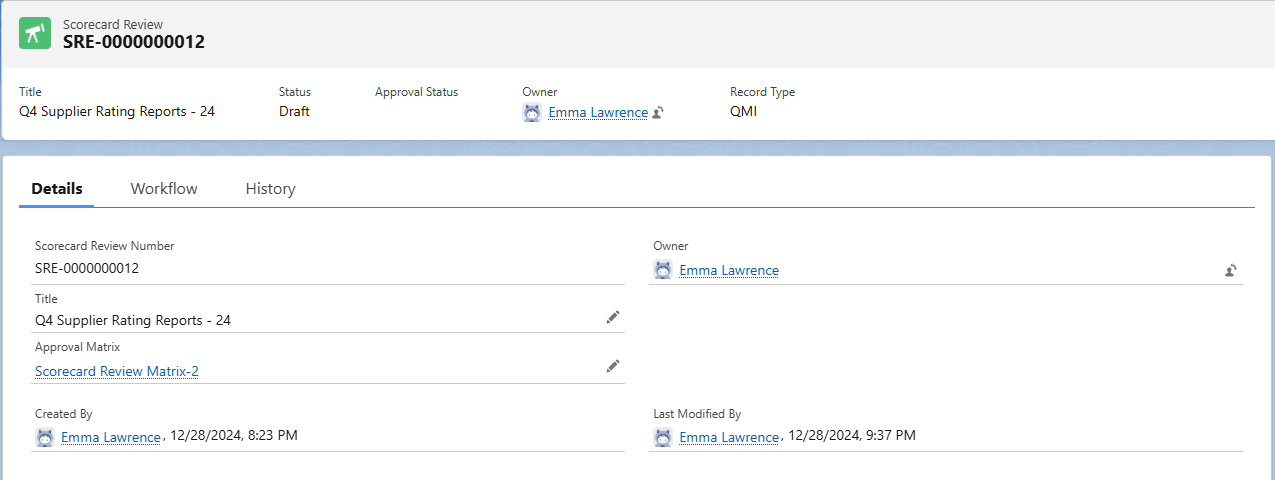
Review Approval Matrix. The field defaults to the current matrix. Select an alternate matrix, if needed.
-
If eSig is enabled, review the Purpose of Signature.
-
Enter a Comment, if required.
-
If eSig is enabled, enter your Password.
-
Click Save.
Expected Outcome
-
You access and update the Approval Matrix for the Scorecard review.
-
You assign one or more Approvers as required.
-
Approvers link correctly to the Scorecard review workflow.
-
Changes save and apply immediately.
-
The review follows the defined approval path and organizational requirements.
Additional Resources
ComplianceQuest
We Value Your Feedback
To provide feedback or suggestions to improve the help content on this page click here.