
Overview
Design Requirements in the Design File record capture essential product needs and specifications, helping standardize documentation and ensure consistency across teams. This section allows users to add, edit, and manage requirements, supporting collaboration and traceability throughout the product lifecycle. Design Requirements are linked to templates, can include files and controlled documents, and are tracked with status and version history for comprehensive change management and context understanding.
Prerequisites
Available in: CQ Design
Installed Package(s): CQ Core, CQ Design Extension & CQ Process Extension - Winter 2025
Optional Extension Packages: myCQ & CQ PLM- Winter 2025
User Profile: Standard User
Permissions: CQ Base User PSG, CQ Design Owner PSG, and CQ Design Team Member PSG
Instructions
-
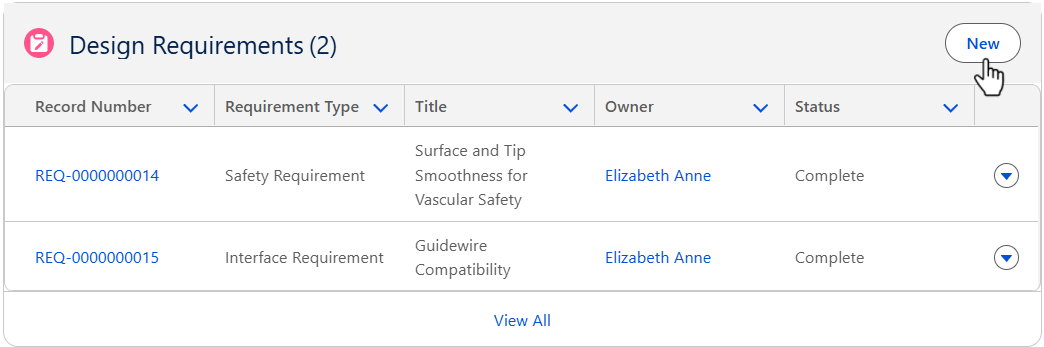
From the Design File record, Development tab, Design Requirements section, click the New button.
-
See the Creating Design Requirements section for the reference to create the Design Requirements.
Results
-
The Design Requirements are added to the Design File record.
-
Edit and Delete options are available from the drop-down arrow at the end of each Design Requirement row.
-
Click View All to see all Design Requirements.
Troubleshooting
-
Check back for new articles