
Overview
Document Training Requirements can be deactivated for specific Job Functions based on the status of a Controlled Document within CQ. Deactivation ensures that training obligations are removed when a document is no longer applicable, helping maintain accurate compliance records.
-
Status = Obsolete
Training requirements are automatically deactivated when the document reaches an Obsolete status. -
Status = Pre-Release or Current
Training requirements can be manually deactivated by following the steps outlined in this guide.
Understanding these deactivation rules helps Document Owners manage training requirements effectively and prevent unnecessary training assignments for outdated documents.
Prerequisites
Available in: Controlled Documents
Installed Package: CQ Core - Winter 2025
Optional Extension Packages: CQ Forms, CQ Laboratory Issues, CQ Process, and CQ EHS - Winter 2025
User Profile: Standard User
Permissions: CQ Base User PSG and CQ Document Owner PSG
Training Requirement: Must be in a Status of Active
Instructions
Training requirements are automatically deactivated after the document has completed the approval process and reaches an Obsolete status.
-
From the Controlled Documents tab, locate and select the Pre-release or Current Document.
-
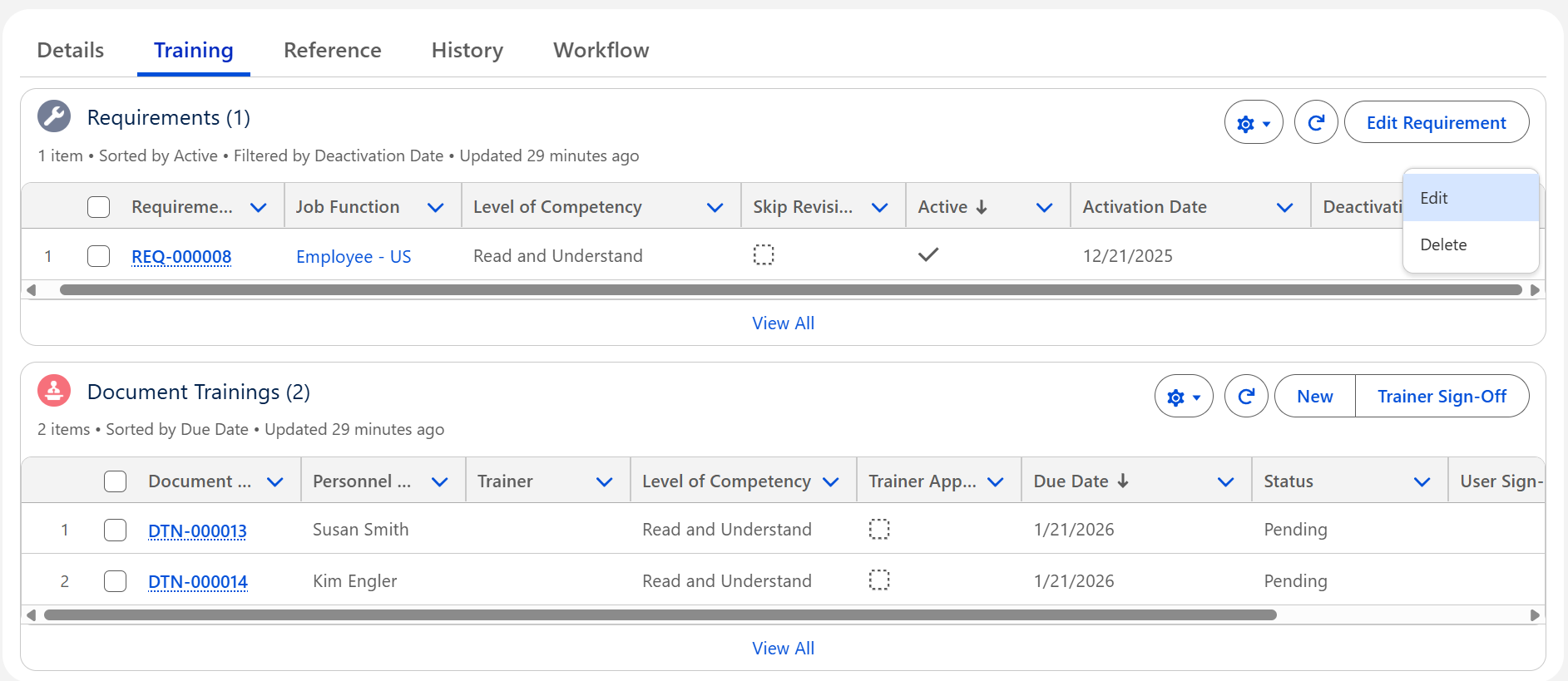
From the Controlled Document record, click the Training tab.
-
Select the Edit Quick Action adjacent to the Requirement.
-
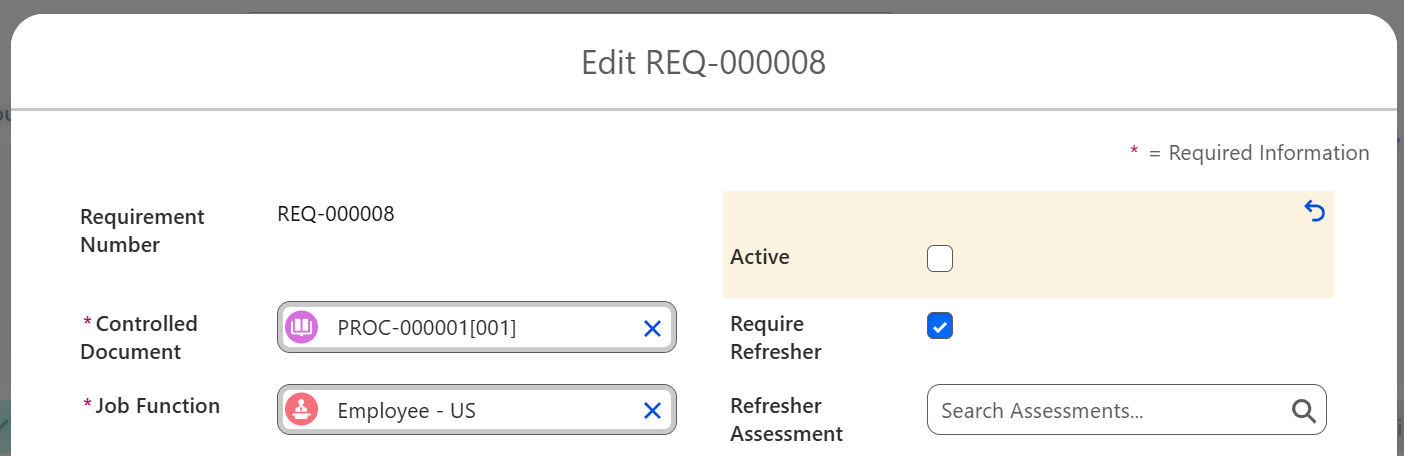
Uncheck the Active option.
-
Click the Save button.
Results
-
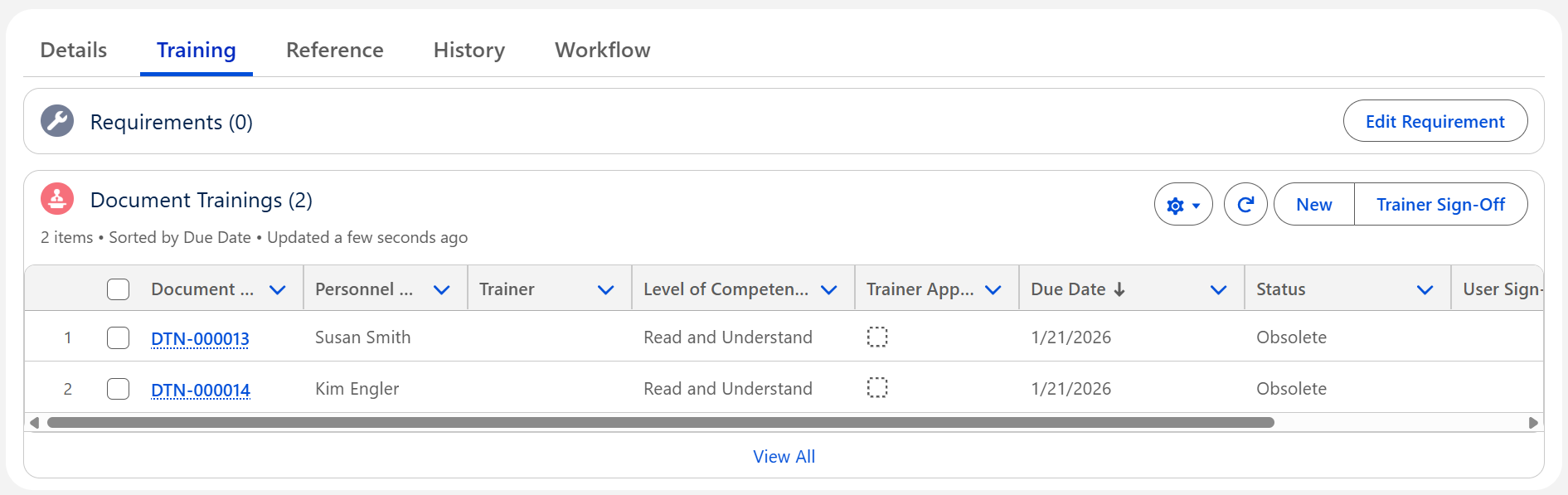
The Job Function has been removed completely from the Requirements list.
-
The Status of Personnel Training under Document Trainings has changed to Obsolete.
-
The Training Requirement is removed from the Trainee’s CQ Items list as it is no longer a Requirement to be fulfilled.
Troubleshooting
-
Check back for new articles
Additional Resources
CQ Resources
-
Editing Document Training Requirements
Summer 2026