
Overview
CQ supports structured problem‑solving by allowing Investigators to perform 5 Why Analysis directly within an Investigation record for any product, process, or safety‑related failure. The 5 Why method is a simple yet powerful technique used to uncover the underlying cause of an issue by repeatedly asking the question “Why?” until the most fundamental root cause is identified.
In CQ, Investigators can document each “Why” level, link supporting evidence, and capture the reasoning that connects symptoms to causes, ensuring investigations are clear, traceable, and compliant with quality system requirements. This structured approach enables teams to move beyond surface‑level symptoms and understand why the problem occurred in the first place.
Organizations use 5 Why Analysis for a variety of investigative needs, including:
-
Troubleshooting equipment or process issues
-
Quality improvement activities
-
Process analysis and workflow optimization
Because the method focuses on a single causal chain, 5 Why Analysis works best for simple or less complex issues that are likely to have a small number of potential causes. When applied appropriately, it delivers fast, meaningful insights that help prevent recurrence and strengthen corrective and preventive action (CAPA) effectiveness.
Prerequisites
Available in: Audit Findings, CAPAs, Nonconformances, Safety Incidents, Safety Observations
Installed Package: CQ Core, EHS - Winter 2025
User Profile: Standard User
Permissions: CQ Base User PSG, CQ Record Owner PSG and/or Task Assignee PSG
Next Best Action: Perform Investigation
Investigation Tool Linked to Investigation: 5 Why
Instructions
-
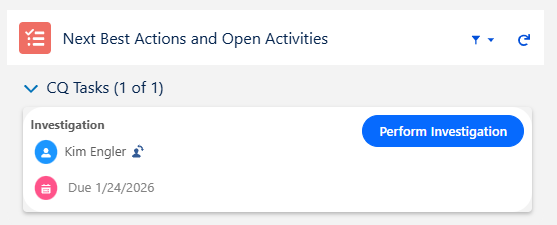
From the CQ record, click the Perform Investigation button.
-
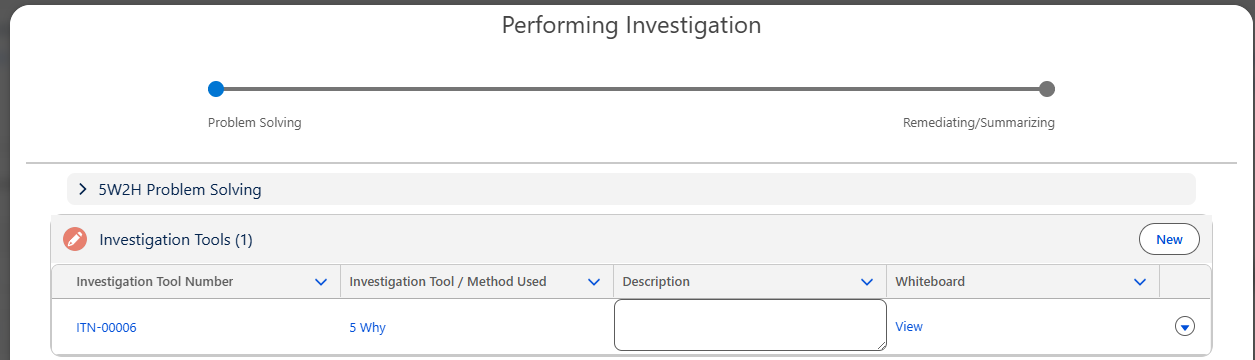
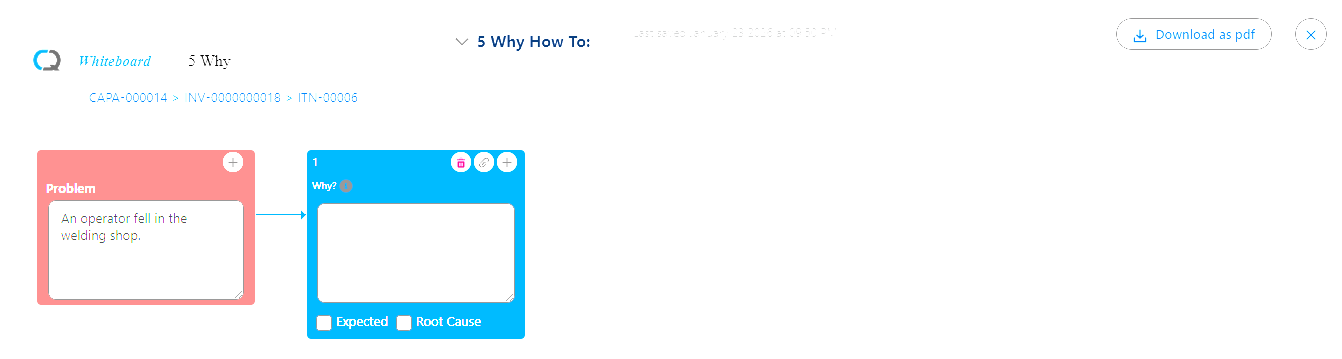
From the Performing Investigation Form, click the View link from the existing 5 Why Investigation Tool to launch the Whiteboard.
5 Why Whiteboard
-
Add the Why Nodes for the Problem identified as any Attachments as needed.
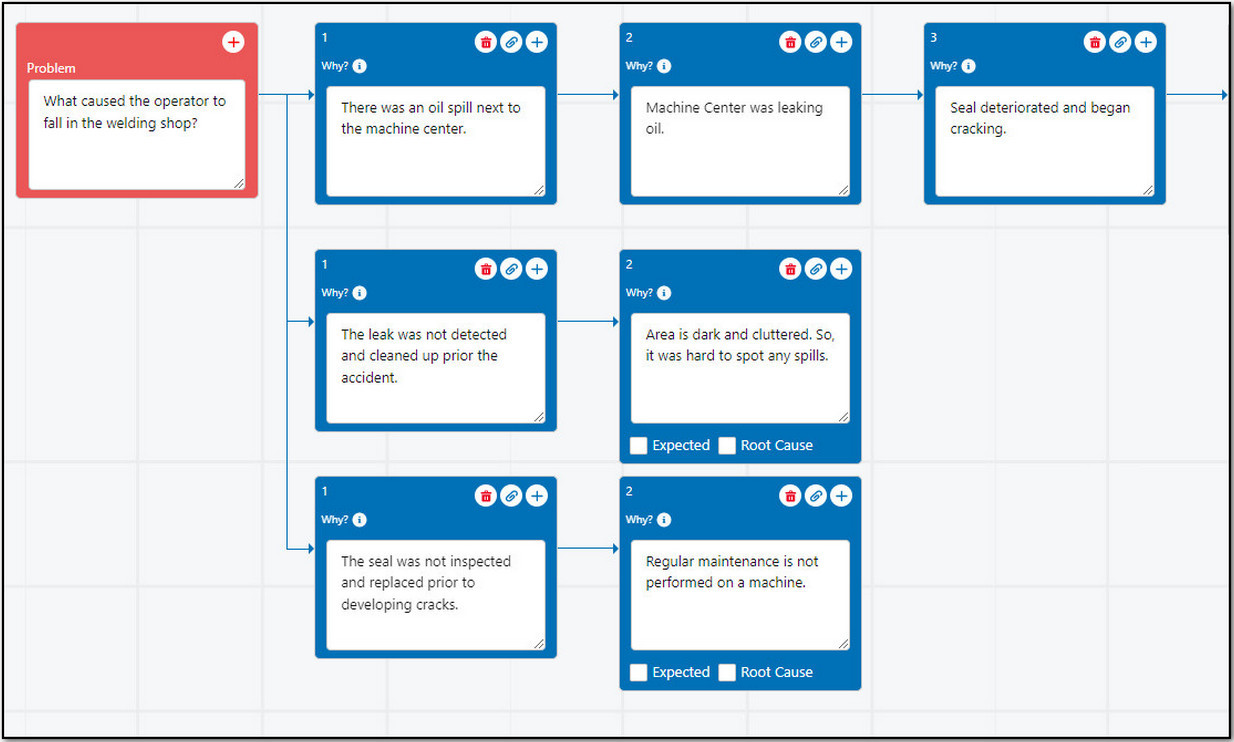
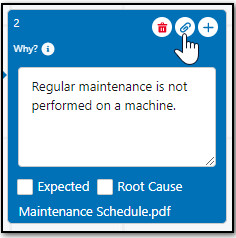
Up to 10 Why Nodes can branch out from the Problem Node and up to 12 Why Nodes can be added on a single branch. Contact your CQ Administrator to set a Maximum Number of Why Nodes, if needed.
-
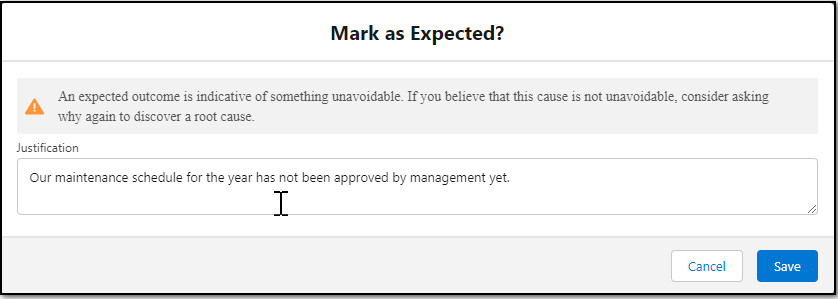
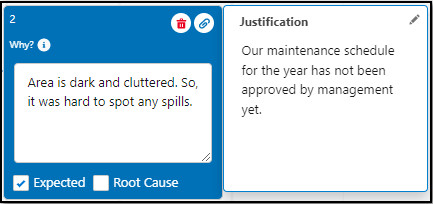
Mark the appropriate Why Node(s) as Expected as needed. On evaluation of the Investigation, if the reasoning in the Why Node is not the Expected outcome anymore, then unmark it as Expected.
-
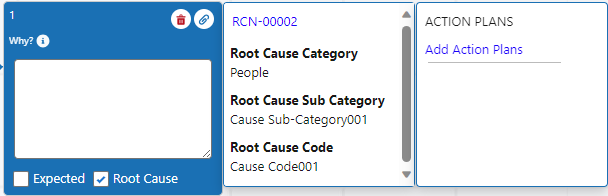
Add Root Causes for Why Node(s) as needed. See Adding Root Causes to Investigations for more information.
-
Add Action Plans for Root Cause(s) as needed. See Adding Action Plans to Investigations for more information.
Click the Download as pdf button as needed to download the Whiteboard to PDF for sharing.
-
Click the X icon to Save and Close the 5 Why Whiteboard and return the Investigation Form.

Results
-
The 5 Why Investigation is Saved in the Investigation.
-
The Investigation can be updated at anytime if not in Approval prior to the Investigation Closing.
Troubleshooting
-
Check back for new articles
Additional Resources
CQ Resources
-
Viewing Completed Investigations
-
Performing Audit Finding Investigations
-
Performing CAPA Investigations
-
Performing Complaint Investigations
-
Performing Nonconformance Investigations
-
Performing Safety Incident Investigations
-
Performing Safety Observation Investigations
-
Creating New Investigation Tools
Summer 2026