
Purpose
As a Teams user, you can install the CQ.AI Assistant in Microsoft Teams to access the assistant and sign in using Sandbox or Production credentials.
Install Microsoft Teams and sign in with a Microsoft account before use.
Prerequisites
Installed Package(s): CQ Core, CQ.AI Extension
Product: Platform & Technology
Function: CQ.AI Agent
User Profile: Standard User
Permissions: CQ Base User PSG, CQ NC Owner PSG, CQ Design Owner PSG, Prompt Template User, Data Cloud User, CQSS AI User PSG
Steps
-
Click Apps in the left pane of Teams.
-
Search for CQ AI Assistant and select it.
-
Review the app tabs.
-
Click Add.
-
Click Open to view the app in the chat area.
Expected Outcome
-
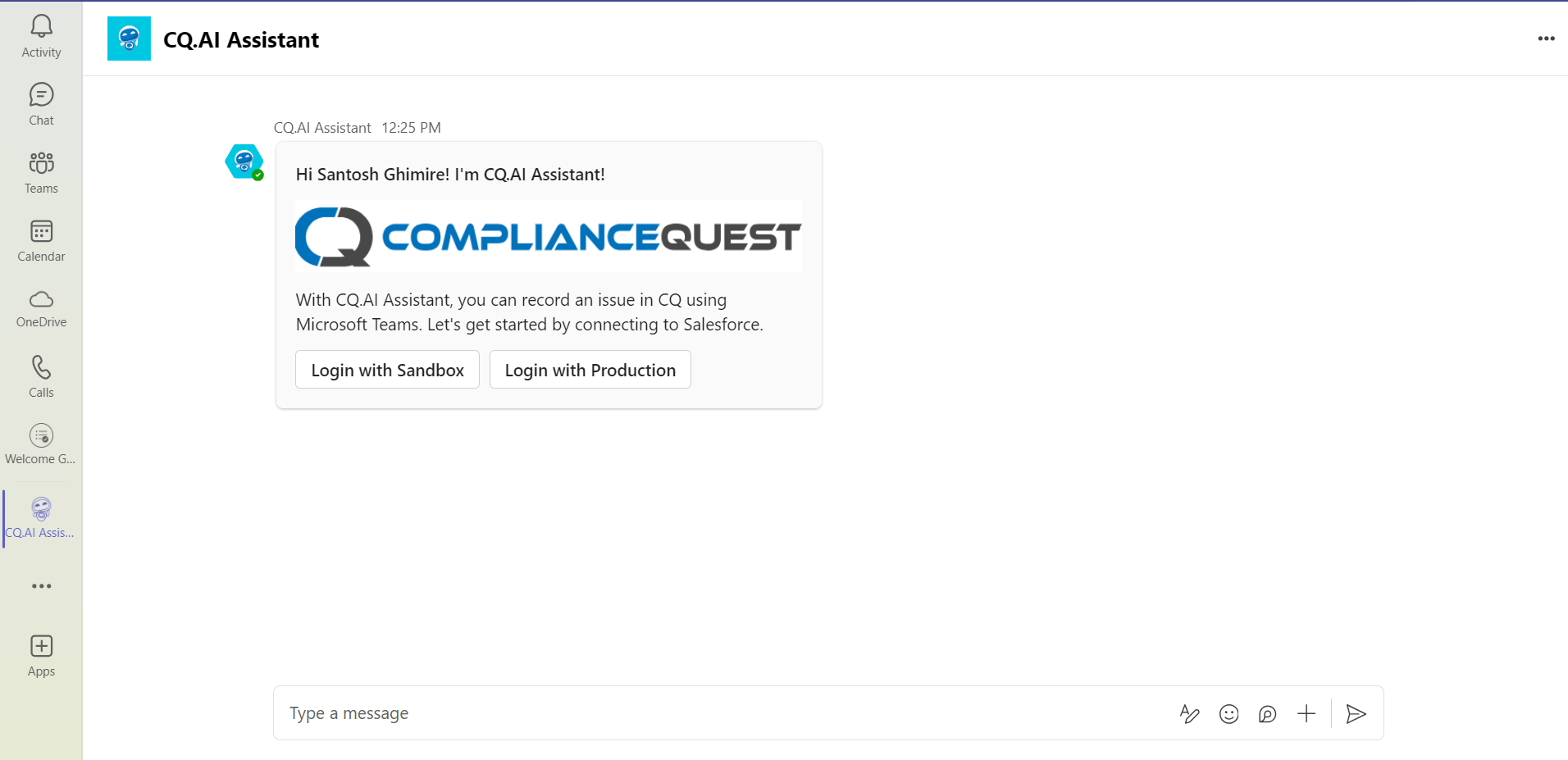
The CQ.AI Assistant appears in the Teams chat.
-
A welcome message appears.
-
The CQ.AI Assistant logo displays.
-
Sandbox and Production login options appear.
Example:
Additional Resources
ComplianceQuest
Third-party
We Value Your Feedback
To provide feedback or suggestions to improve the help content on this page click here.