
Overview
Reassigning approvers in CQ allows users with appropriate permissions to update the approval workflow for a record when changes are needed. This functionality ensures that approvals are completed by the correct personnel, even if the originally assigned approver is unavailable or responsibilities have shifted.
By reassigning an approver, you maintain process continuity and compliance with organizational requirements while keeping the record’s approval routing accurate and up to date.
Prerequisites
Available in: All Records with Approvals
Installed Package: CQ Approval - Winter 2025
User Profile: Standard User
Permissions: CQ Base User PSG and CQ Record Approver PSG (Record Owners can also Approve)
Next Best Action: Review, Approve, Reject buttons are displayed for appropriate record Stage/Status
Email Notification: Approval notification is available in Approver’s Inbox
Instructions
-
Choose any of the options below to Reassign Approvals:
Option 1: Click the Reassign link from Home tab.

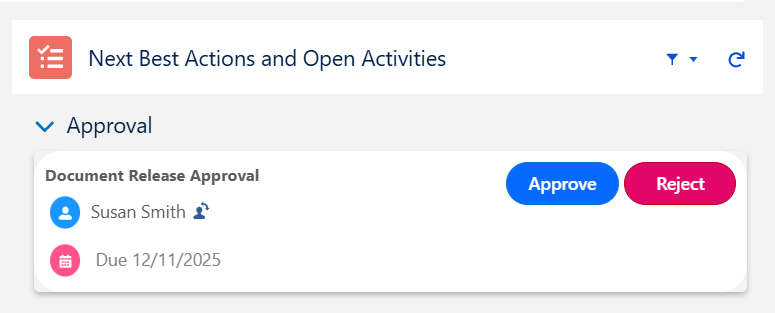
Option 2: Click the Change Owner icon under Next Best Actions from the CQ Record.
-
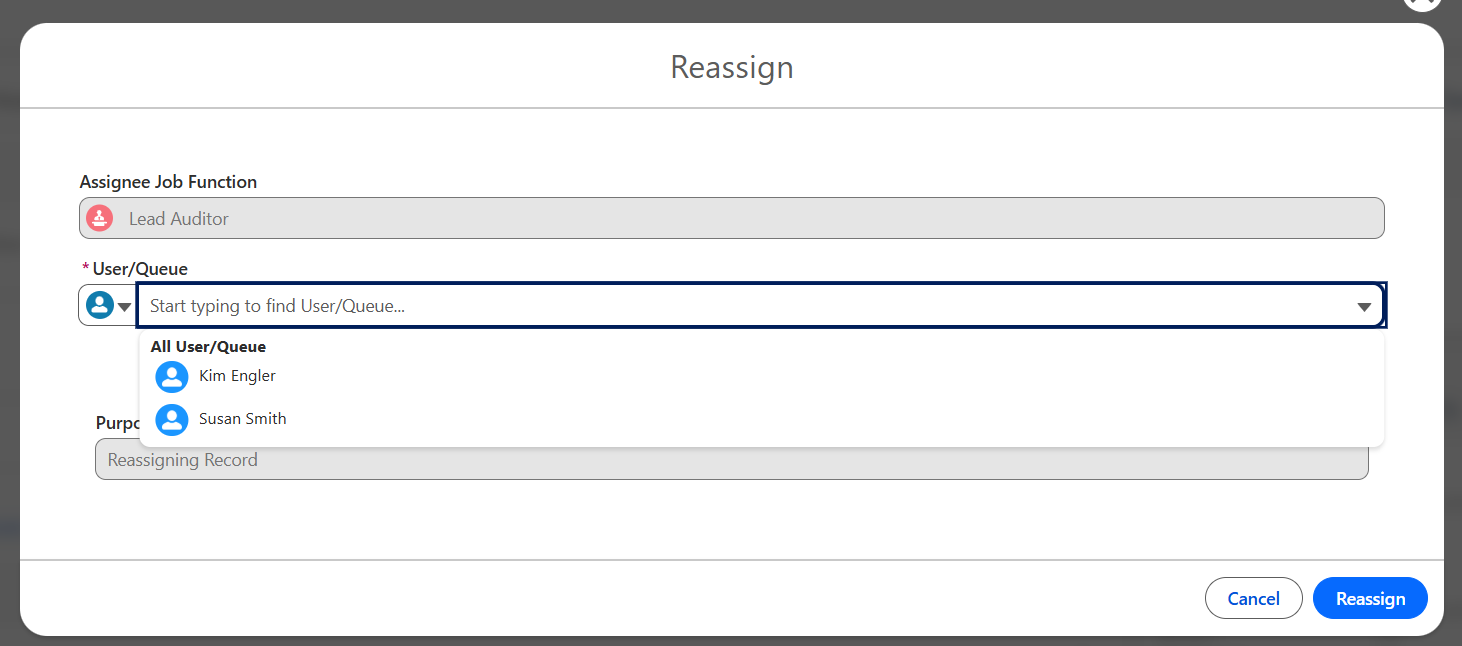
Select User or Queue, then search and select the User or Queue name for the Approver. Only associated or Qualified Users/Queues will display for selection.
-
Enter Comment and Password if required for eSignature Policies.
-
Click the Reassign button.
Results
-
The Approval re-assignment was successful.
-
The Approval has been reassigned to another User/Queue for Approving the record.
-
An email is sent to the Reassigned User/Queue.
-
The Reassigning Record activity is logged in the Record Activities section under the History tab.
Troubleshooting
-
User missing for Job Function when Defining Approvers
-
Queue missing for Job Function when Defining Approvers
Additional Resources
CQ Resources
-
Approving Change Owner Requests
-
Completing Approvals
Summer 2026