
Overview
Design Validation is the process of establishing, by objective evidence, that the specifications (specified requirements) of a product conform with user needs and intended use. This section documents the activities and results that demonstrate the product meets its intended purpose in real-world conditions. Design Validation ensures that the final product fulfills all user requirements and regulatory expectations before release or implementation. Design Validation is a critical step in the product development lifecycle, confirming that the product is not only built correctly but is also the right product for its intended users and use cases.
Prerequisites
Available in: CQ Design
Installed Package(s): CQ Core, CQ Design Extension & CQ Process Extension - Winter 2025
Optional Extension Packages: myCQ & CQ PLM- Winter 2025
User Profile: Standard User
Permissions: CQ Base User PSG, CQ Design Owner PSG, and CQ Design Team Member PSG
Instructions
-
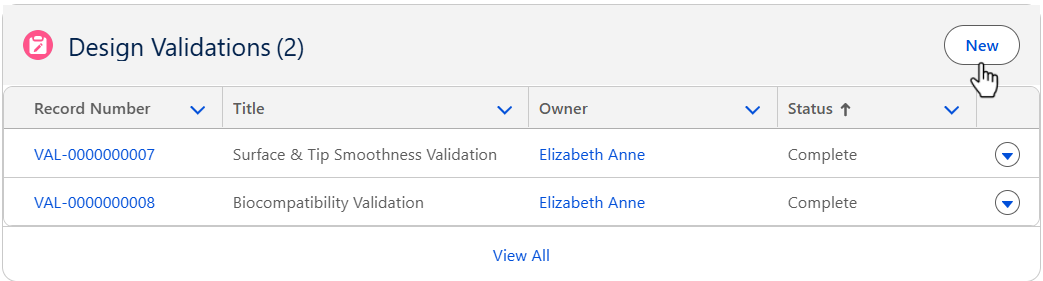
From the Design File record, Development tab, Design Validation section, click the New button.
-
See the Creating Design Validation section for the reference to create the Design Requirements.
Results
-
The Design Validations are added to the Design File record.
-
Edit and Delete options are available from the drop-down arrow at the end of each Design Validation row.
-
Click View All to see all Design Validations.
Troubleshooting
-
Check back for new articles