
Overview
As a QMI user, you can review QMI score trends and metric performance over time to identify patterns, improvements, and declines that support performance analysis.
Prerequisites
Installed Package(s): CQ Core, CQ QMI - Summer 2026
Product: Platform & Technology
Function: QMI Dashboard
User Profile: Standard User
Permissions: CQ Base User PSG, CQ QMI Manager PSG
Steps
-
Open the QMI Dashboard.
-
Select Trend Chart.
-
Choose a Metric Name.
-
Select a date range.
-
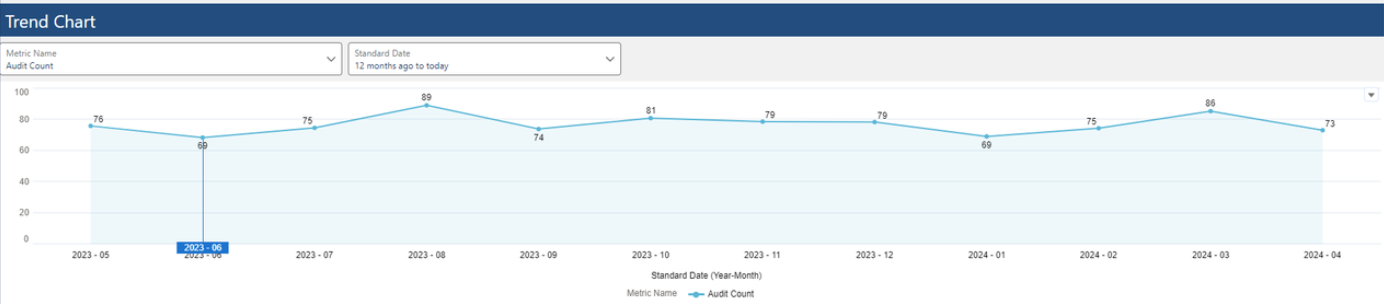
Review the trend line and data points.
Outcome
-
You view the QMI score trend over the selected period.
-
You identify performance patterns and changes in metrics.
-
You recognize periods of improvement or decline for informed review and action.
Example:
Additional Resources
ComplianceQuest
We Value Your Feedback
To provide feedback or suggestions to improve the help content on this page click here.