
Purpose
As a User, you can report an issue and start the 5W2H Classification to create a complete Nonconformance record.
To report a Nonconformance, the User must have the following permissions: CQSS AI Assistant User, CQSS Similarity User, CQ NC Owner PSG, and CQ Base User PSG.
Prerequisites
Installed Package(s): CQ Core, CQ.AI Extension
Product: QualityQuest, Platform & Technology
Function: CQ.AI Agent
User Profile: Standard User
Permissions: CQ Base User PSG, CQ NC Owner PSG, CQ Design Owner PSG, Prompt Template User, Data Cloud User, CQSS AI User PSG
Steps
-
In Microsoft Teams, open the CQ.AI Assistant Chatbot app.
-
Open the chatbot.
-
Enter Report an Issue in the chat window.
-
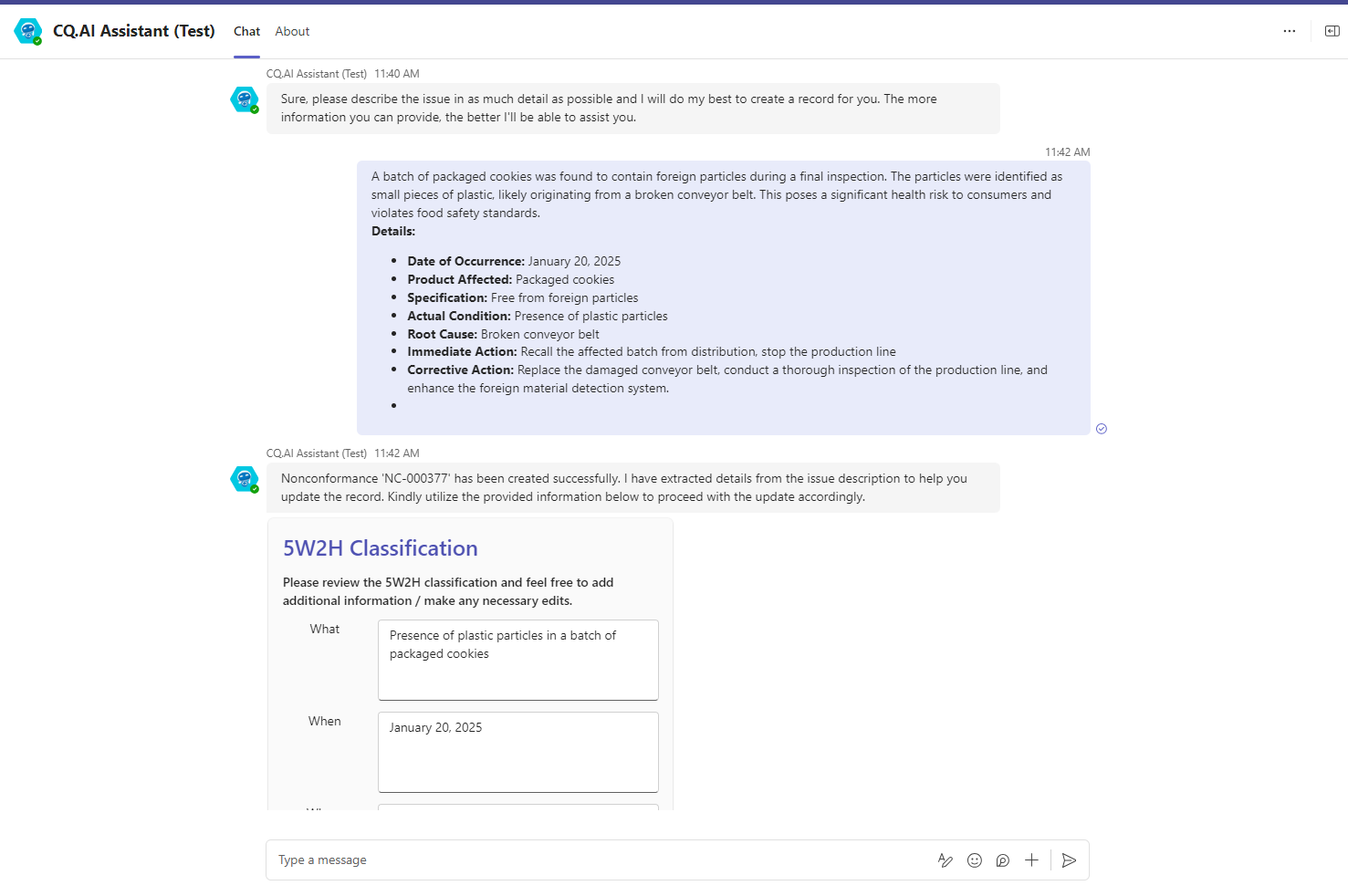
Enter the issue with as much detail as possible.
Example:
Expected Outcome
-
A Nonconformance record is created.
-
The 5W2H Classification card displays populated fields for:
-
What
-
When
-
Where
-
Who
-
Which
-
How
-
How Many
-
-
The Submit button is available to finalize the classification.
Additional Resources
ComplianceQuest
We Value Your Feedback
To provide feedback or suggestions to improve the help content on this page click here.