
Purpose
As a Part Creator, you can create Concept Parts to define early design ideas in PLM system before generating detailed specifications.
Prerequisites
Installation Package: CQ Core, CQ PLM Extension
Product: ProductQuest
Function: Concept Parts
User Profile: Standard User
Permissions: CQ Base User PSG and CQ PLM Creator PSG
Configurations: Part Families
Steps
-
Open the Parts tab. Then click New.
-
Select Record Type: Concept Part. Then click Next.
-
Specify this information:
-
Title
Specify the part title. -
Part Description
Provide a description. -
Part Family
Specify the part family.
-
-
Click Save. To create a new Concept Part, click Save & New.
Example
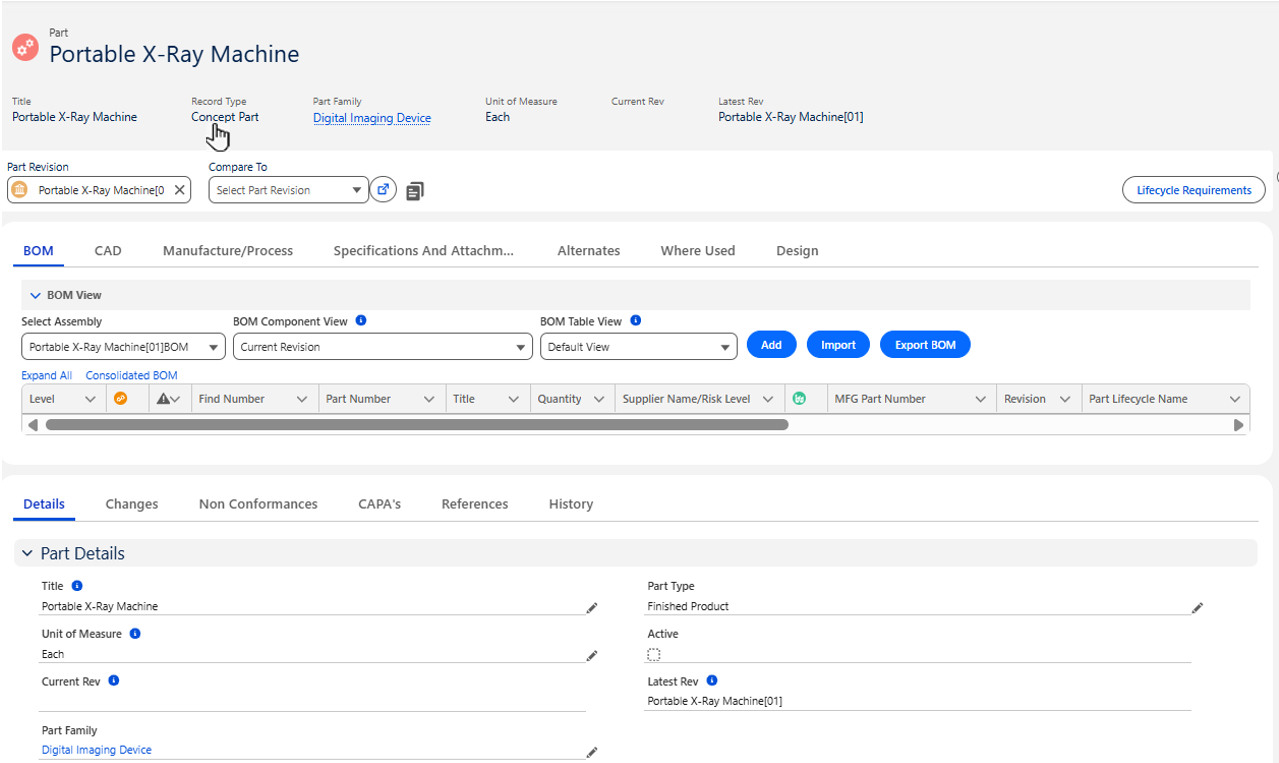

Expected Outcome
-
The Concept Part is created. Part Numbers are not assigned to Concept Parts.
-
The Record Type is set to Concept Part.
-
The Concept Part is added to the CQPLM Ownership Queue.
-
The Lifecycle Name is set to Concept and the Lifecycle Type is set to Pre-Production.
-
A Primary Controlled Document is created.
Optional Configurations
-
Part Lifecycles
Additional Resources
ComplianceQuest
We Value Your Feedback
To provide feedback or suggestions to improve the help content on this page click here.