
Purpose
As a Part Creator, you can export the BOM to review part information offline. This task lets you share material data with stakeholders who need it for planning, reporting, or audit activities.
Prerequisites
Installation Package: CQ Core, CQ PLM Extension
User Profile: Standard User
Product: ProductQuest
Function: Parts
Permissions: CQ Base User PSG, CQ PLM Creator PSG, CQ Design Owner PSG
Steps
-
Open the Part record.
-
Select Latest Revision in the BOM component View.
-
Click Expand All.
-
Click Export BOM.
Example
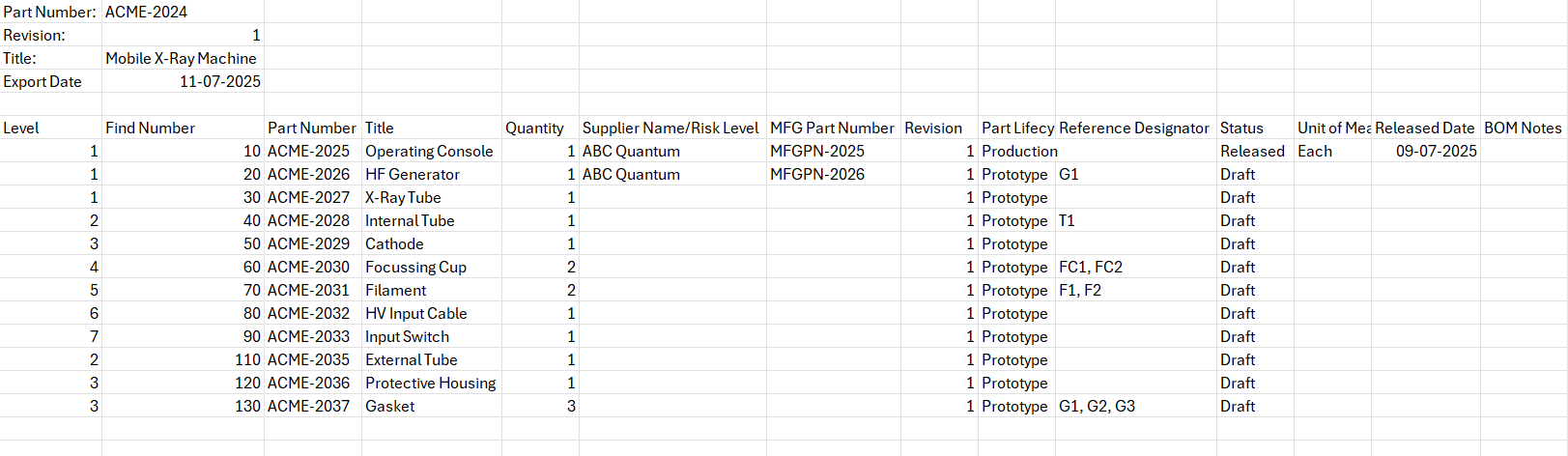
Expected Outcome
-
The BOM is exported.
Additional Resources
ComplianceQuest
-
Adding Parts in BOM
-
Viewing Consolidated BOM
We Value Your Feedback
To provide feedback or suggestions to improve the help content on this page click here.