
Purpose
Once the Change Order has reached the Released Stage, the Disposition Task Assignees must now Complete the Disposition Tasks for the Part Changes.
Prerequisites
Installation Package: CQ Core, CQ PLM Extension
Product: ProductQuest
Function: Standard Parts
User Profile: Standard User
Permissions: CQ Base User PSG and CQ PLM Creator PSG and CQ Design Owner PSG
Steps
-
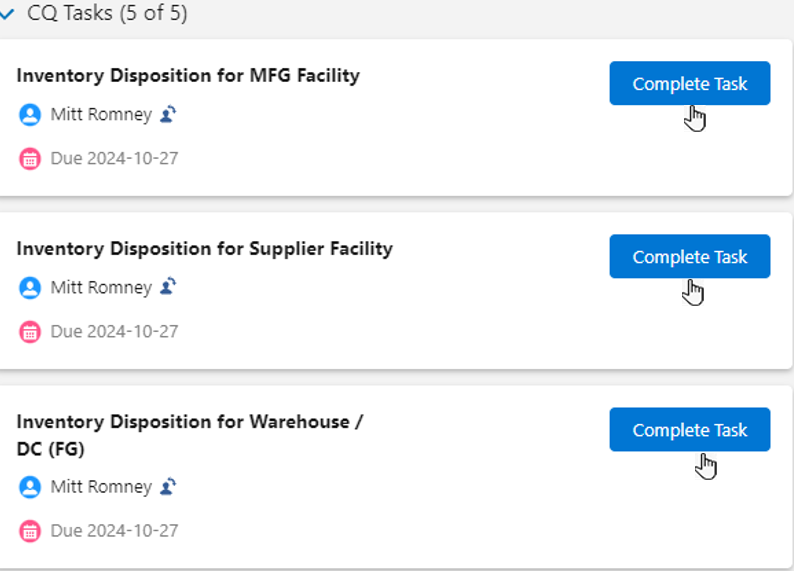
From the Planned Change/Immediate Change record, under Next Best Actions and Open Activities, in the CQ Tasks section, click the Complete Task button for each Task Assigned.
-
Optionally, enter all the fields.
-
If eSig is enabled, Purpose of Signature will display.
-
Optionally, enter a Comment. (Off-the-shelf, this field is not required but can be configured to be required using eSig Settings.)
-
If eSig is enabled, enter your Password . (User Name can also be configured to display and/or be required using eSig Settings.)
-
Click the Save button.
Expected Outcome
-
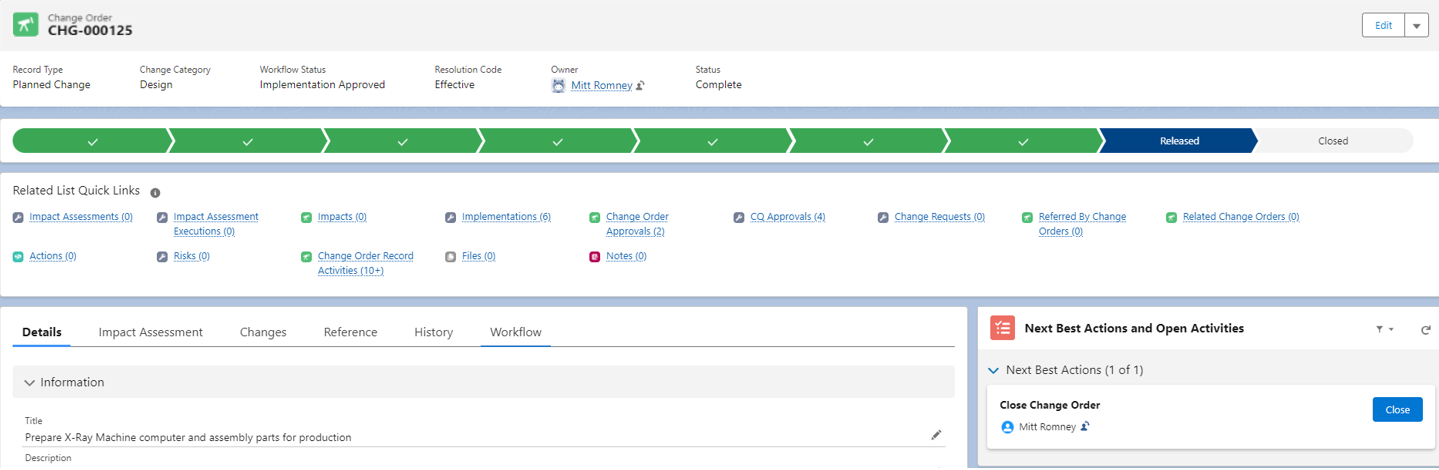
All Disposition Tasks are completed.
Troubleshooting
-
Check back for new articles
Optional Configurations
-
NA
Additional Resources
ComplianceQuest
-
NA
We Value Your Feedback
To provide feedback or suggestions to improve the help content on this page click here.