
Overview
Document Owners can delete Document Training Requirements from a Controlled Document in CQ, provided the requirements have not yet been activated for training. Removing inactive training requirements helps maintain accurate document records and prevents unnecessary assignments to personnel.
By following the steps outlined in this guide, Document Owners can ensure that only relevant training requirements remain associated with Controlled Documents, supporting streamlined compliance and training management.
Prerequisites
Available in: Controlled Documents
Installed Package: CQ Core - Winter 2025
Optional Extension Packages: CQ Forms, CQ Laboratory Issues, CQ Process, and CQ EHS - Winter 2025
User Profile: Standard User
Permissions: CQ Base User PSG and CQ Document Owner PSG
Training Requirement: Must not be set to Active
Instructions
-
From the Controlled Documents tab, locate and select the Draft, Pre-release or Current Document.
-
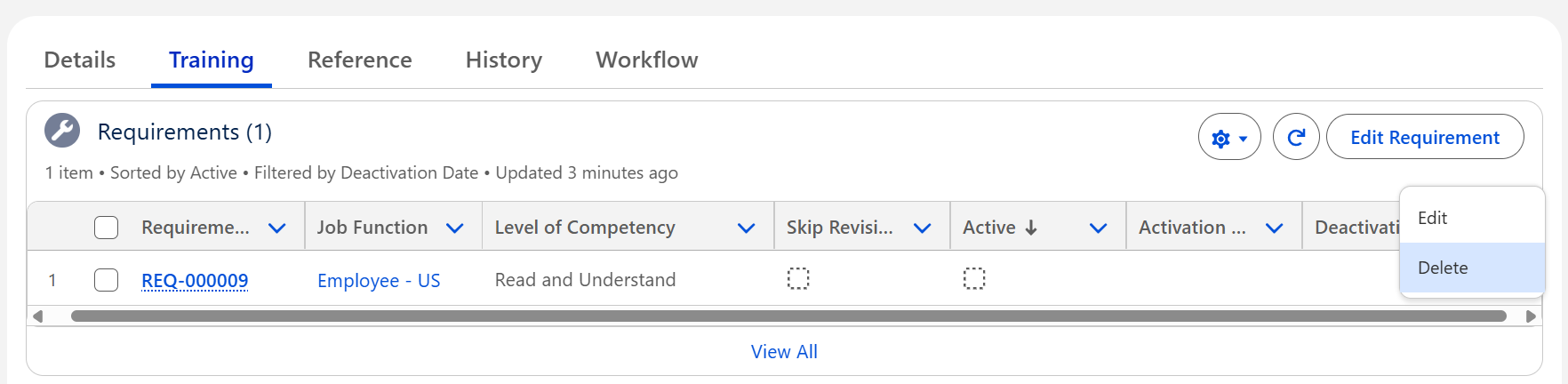
From the Controlled Document record, click the Training tab.
-
Select the Delete Quick Action adjacent to the Requirement.
-
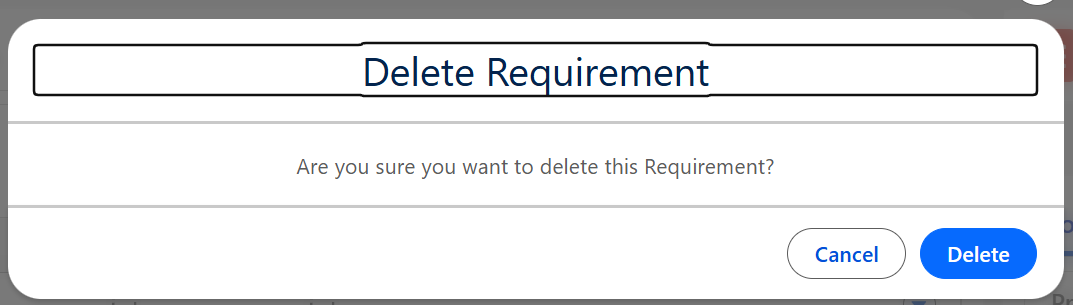
Click the Delete button.
Results
-
The Job Function has been removed completely from the Requirements list.
Troubleshooting
-
Check back for new articles
Additional Resources
CQ Resources
-
Editing Document Training Requirements
Summer 2026