
Purpose
To define structured Operations that represent individual tasks within a Process. The Operation Owner is responsible for creating and maintaining these Operations to build the overall Process workflow.
Prerequisites
-
Installation Package: CQ Core, CQ Forms, CQ Process
-
Product: QualityQuest
-
Function: Operations
-
User Profile: Standard User
-
Permissions: CQ Base User PSG and CQ Document Owner PSG
Steps
-
From the App Launcher, search for Operations or select the Operations tab if displayed.
-
From the Operations tab, select + New Operation from the drop-down arrow or click the New button.
-
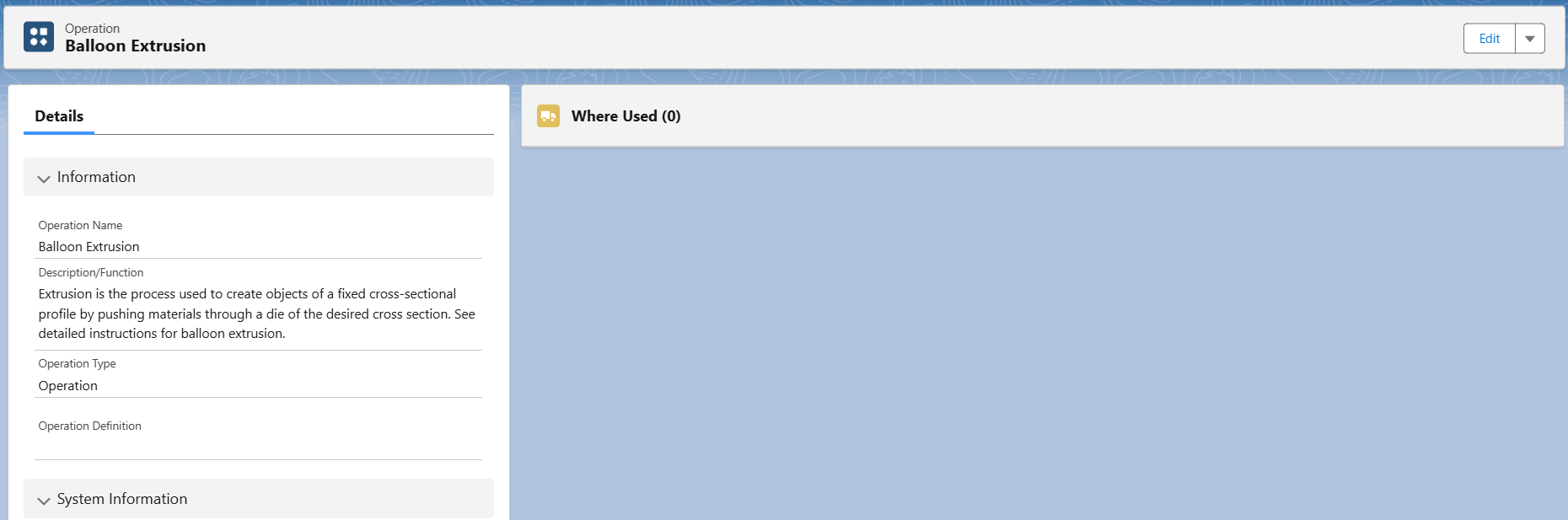
Enter the Operation Name.
-
Enter the Description/Function.
-
Select an Operation Type.
-
Click the Save button or Save & New for additional Operations.
Example
Next Steps
-
Creating Operation Definitions
Optional Configurations
-
Auto Numbers
-
Operation Types
Additional Resources
ComplianceQuest
-
Creating Operation Definitions
-
Uploading Video URLs to Operation Instructions
We Value Your Feedback
To provide feedback or suggestions to improve the help content on this page click here.