
Completing CAPA Containment
For Permission Set Groups: CQ Base User PSG, CQ CAPA Task Assignee PSG
A Containment Task has been assigned in a CAPA and must be completed by the Assignee in the CAPA record.
From the Home tab
-
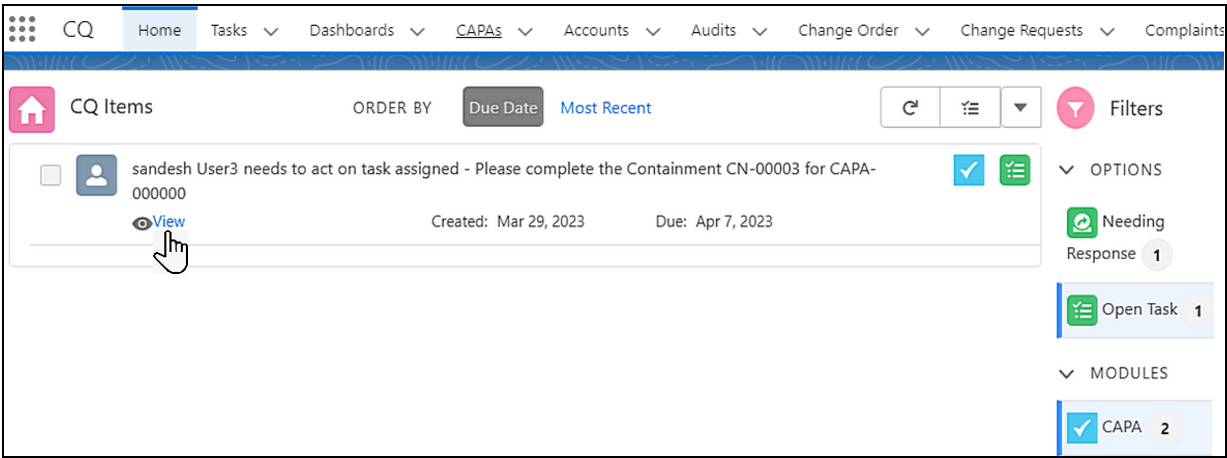
From the Home tab, select filter Options as Open Task and Modules as CAPA.
-
Click the View link on the Containment Task.
-
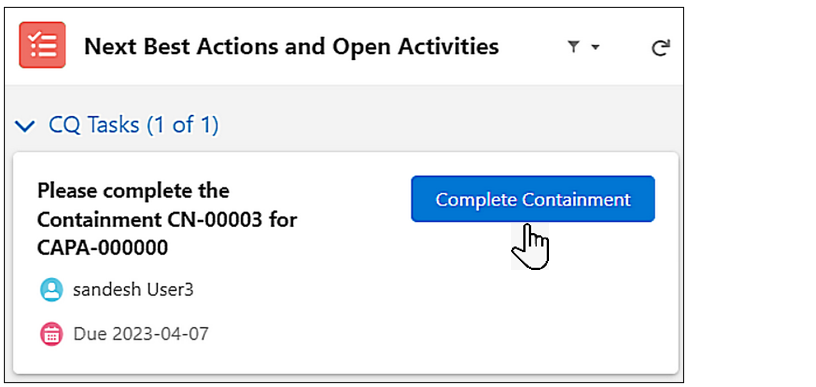
From the Containment record, under Next Best Actions and Open Activities, in the Please complete the Containment section, click the Complete Containment button.
-
Enter or select a Completion Date.
-
Enter a Containment Summary.
-
Enter Comment and Password if needed, and click the Save button.
Results
-
The Status of the Containment record moves to Complete.
-
All the available Containment Actions must be completed in order to Close the CAPA.