
Problem
When Defining Approvers or Reassigning Approvers for a CQ record, the system does not display the User associated with the selected Job Function. This issue prevents approver assignment based on job function criteria, causing delays in workflow approval and potential compliance risks.
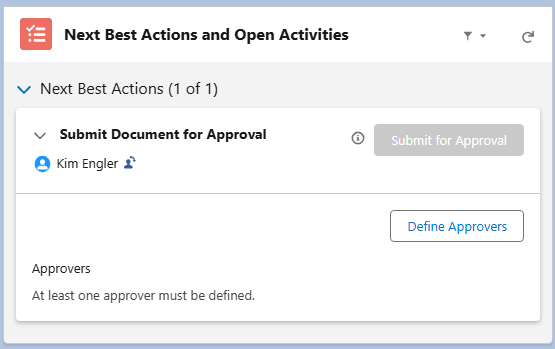
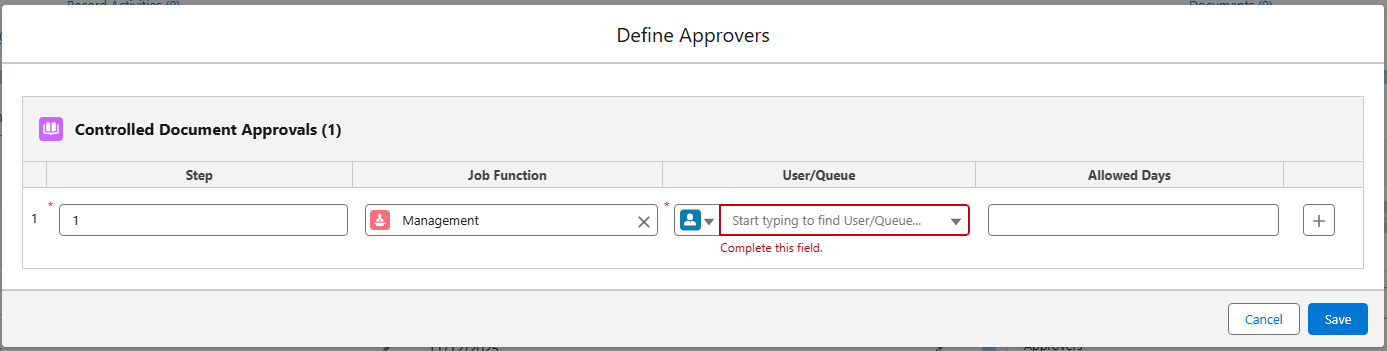
Expected Behavior:
Upon selecting a Job Function under the Defining Approvers window, all Users linked to that Job Function should be displayed for selection.
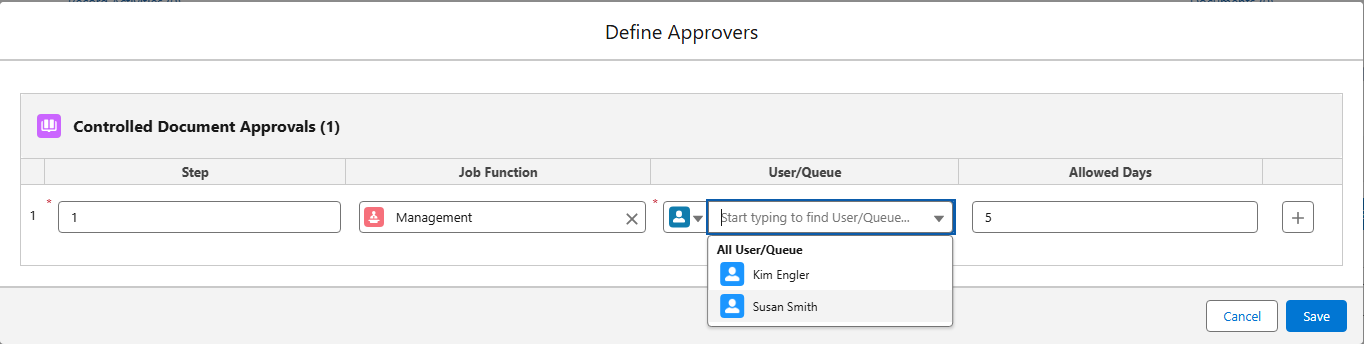
Solution
-
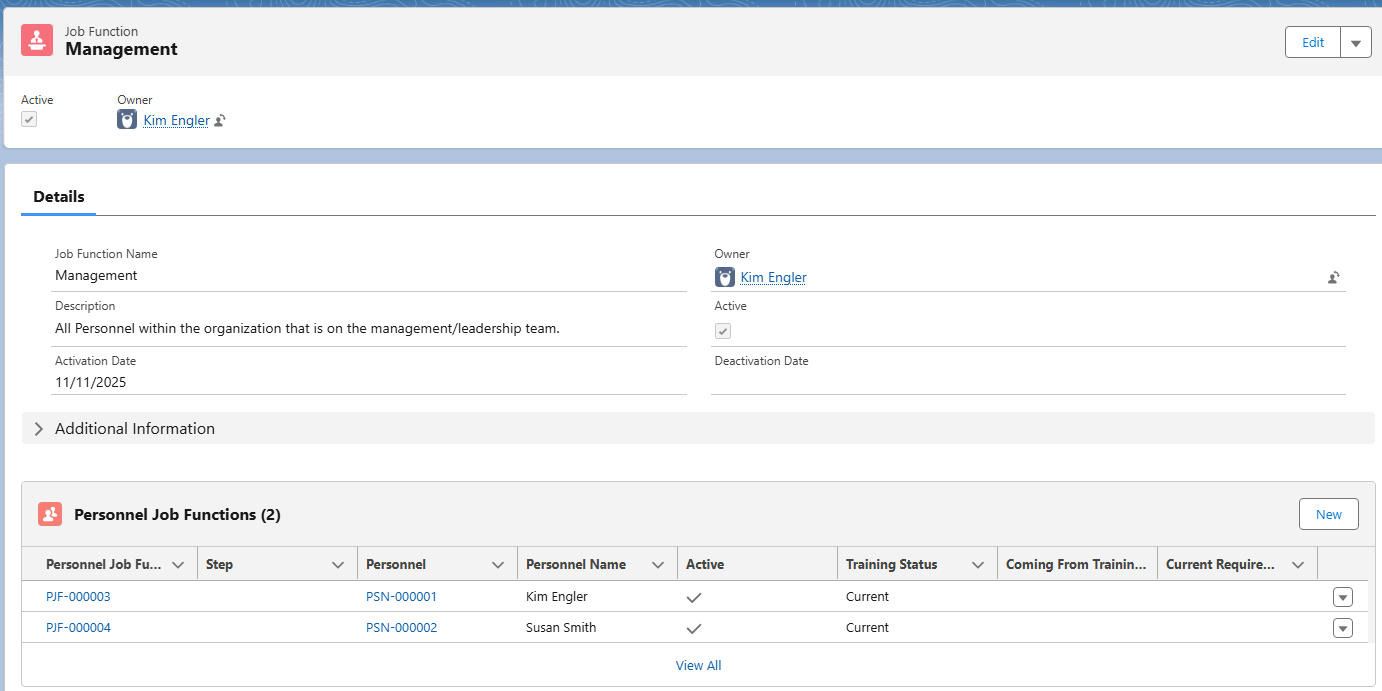
Navigate to the Job Functions tab and select the Job Function Name.
-
Verify that the User is listed under the Personnel Job Functions section.
Solution Scenarios
-
If Personnel is not listed under the Job Function:
-
Add the Personnel to the Job Function and Activate.
-
-
If Personnel is listed and is not Active:
-
Edit the Personnel and check the Active option.
-
-
If Personnel is listed and is Active, verify they have a Training Status of Current:
-
Contact Personnel to complete Training on the Job Function if the Training Status displays as Pending or Overdue.
-
Related Articles
-
Creating Personnel
-
Managing Job Functions