
Managing CAPA Team Members
For Permission Set Groups: CQ Base User PSG, CQ CAPA Owner PSG
Team Members need to be added to the CAPA record. The Team Members section of the CAPA record can be updated at any time by the CAPA Owner.
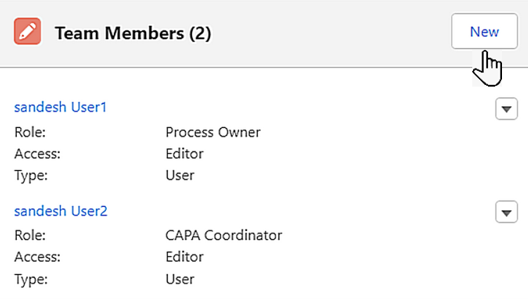
By default, the CAPA Owner and CAPA Coordinator Users are added in the Team Members section.
-
From the CAPA record, Team Members section, click the New button.
-
CAPA is a read-only field that defaults to the open record number.
-
Select the Team Member’s Type: User or Contact.
-
Optionally, select the Team Member (User).
-
Select the Team Member’s Role. Roles can be user-defined (i.e., CAPA Coordinator, Management, Process Owner, Quality Lead, Subject Matter Expert, Supplier, Team Member, etc.).
-
Select the Team Member’s Access: Editor or Viewer.
-
Click the Save button or Save & New to add additional Team Members.
Results
-
The Users or Contacts are added in the Team Members section.
-
Click View All to see all Team Members.
-
Edit and Delete Options are available from the drop-down arrow at the end of each Team Member row.