
Overview
As a CQ record owner, it's essential to ensure that your records are accurately reviewed and approved to move them to the next stage or status. This process helps maintain the integrity and quality of record data, ensuring that all records meet the necessary standards before progressing further.
In this article, we will walk you through the step-by-step instructions on how to submit a CQ record for approval. By following these guidelines, you can streamline the approval process and ensure that your records are handled efficiently and effectively.
Prerequisites
Available in: All Records with Approvals
Installed Package: CQ Approval - Winter 2025
User Profile: Standard User
Users: Active Users for Approval assignments
Permissions: CQ Base User PSG and CQ Record Owner PSG
Next Best Action: Submit for Approval button is activated for appropriate record Stage/Status
Instructions
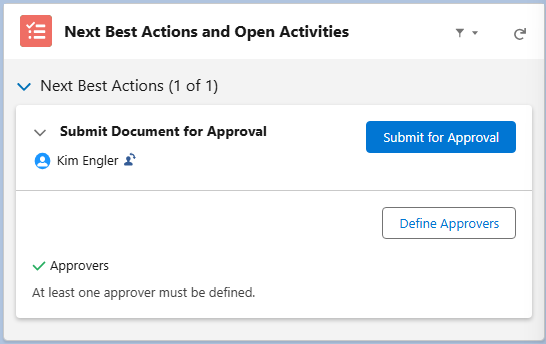
At least one Approver must be defined for the Submit for Approval button to activate. See Defining Approvers for more information.
-
From the CQ record, click the Submit for Approval button under Next Best Actions.
-
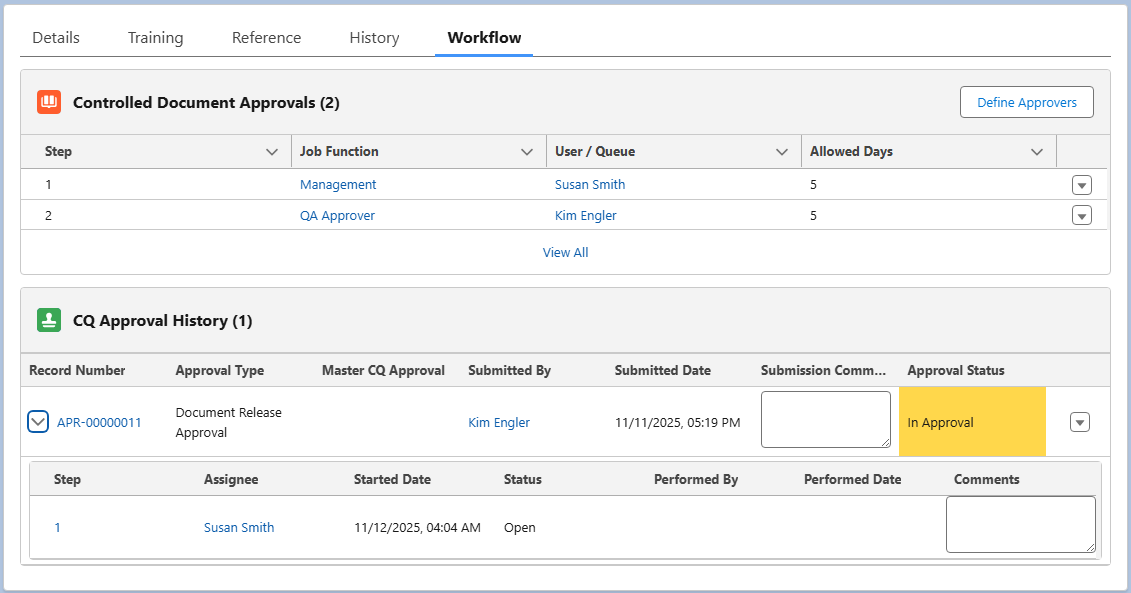
Click the Workflow tab of the record to verify the Approval Status now displays as In Approval.
-
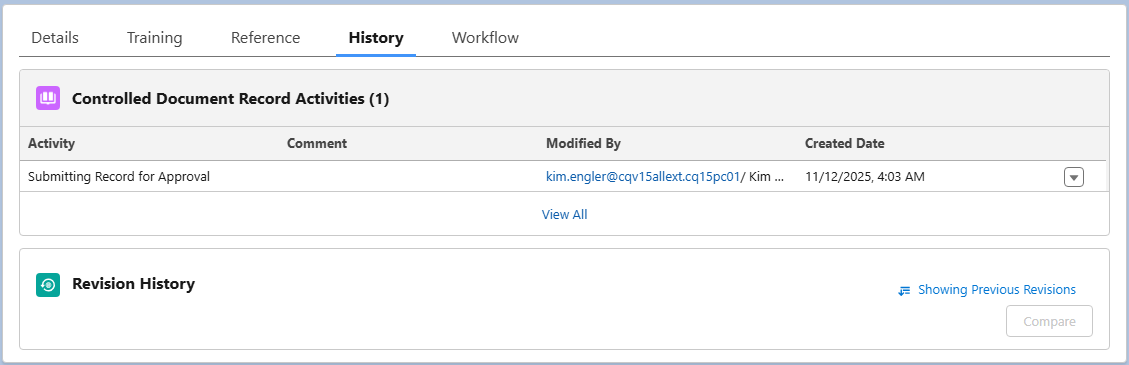
Optionally, click the History tab to view the Submitting Record for Approval Activity
-
For next steps, see Recalling Approvals, Completing Approvals.
Results
-
The header of the record displays the current Approval Status.
-
The Workflow tab displays an Overall Approval Status of In Approval.
-
An email is sent to the Approver(s) based on Step notifying them that the record has been submitted approval.
-
An Approval Task is created and assigned to the Approver(s).
-
The Approval Task is now available on the Approver's Home page, CQ Items task list.
-
The Submitting Record for Approval activity is logged under the History tab.
Troubleshooting
-
Check back for new articles
Additional Resources
CQ Resources
-
Defining Approvers
-
Recalling Approvals
-
Reassigning Approvers
-
Completing Approvals
-
Comparing Documents for Approval
Summer 2026