
Purpose
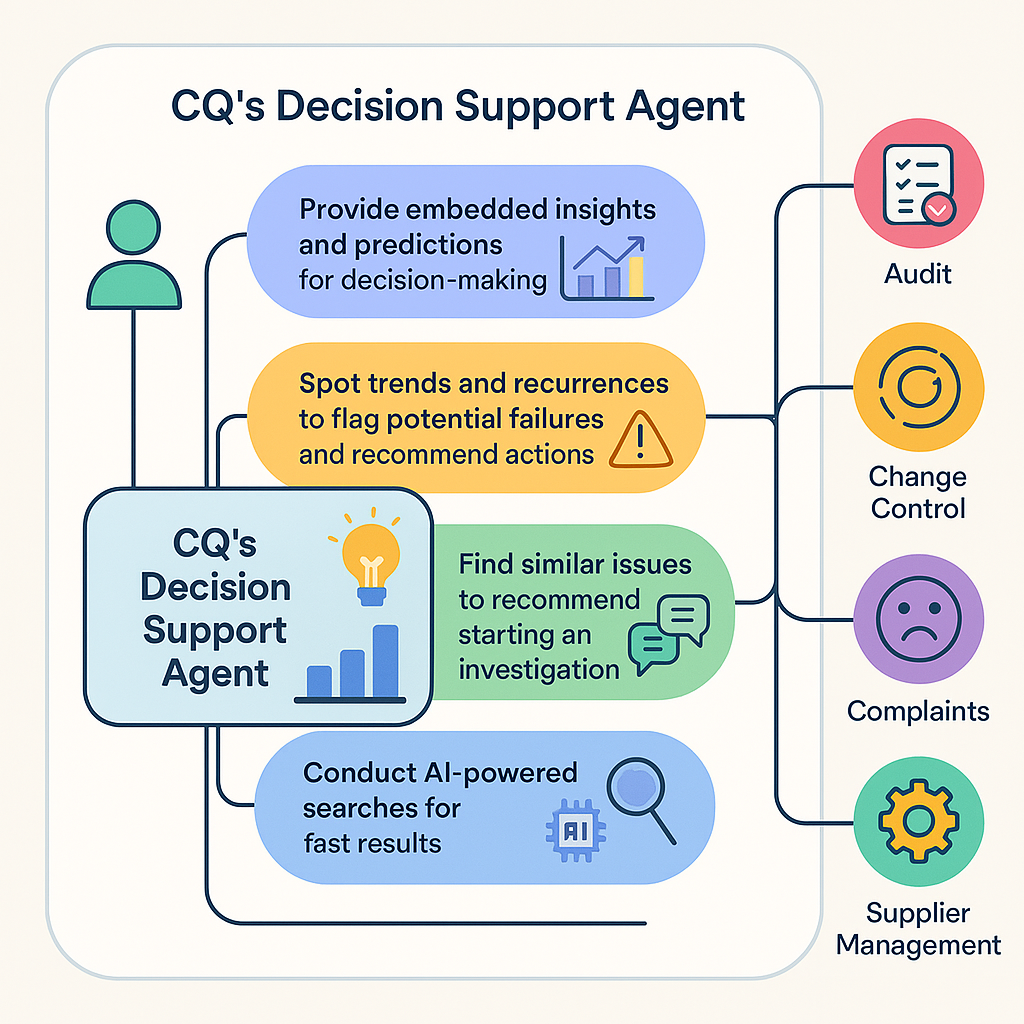
As a Quality User, you can use the CQ Decision Support Agent to review insights and historical data for Audits, Change Controls, Complaints, and Suppliers so you can decide on preventive or corrective actions.
Notes:
-
The Help & Actions card appears in the chat window.
-
You can stop the issue‑reporting workflow when you no longer need to continue.
-
Stopping the workflow prevents the creation of an incomplete record.
-
You can restart the workflow later when you are ready.
Example Use Case for Decision Support
Prerequisites
Installed Package(s): CQ Core, CQ.AI Extension
Product: QualityQuest, Platform & Technology
Function: CQ.AI Agent
User Profile: Standard User
Permissions: CQ Base User PSG, myCQ PSG, CQSS AI Assistant User
Steps
Notes:
-
myCQ Assistant supports Users when creating Change Requests.
-
You enter a Change Request description in plain text.
-
The Assistant identifies the input as a Change Request.
-
The form populates automatically with the entered description.
-
This reduces manual data entry during submission.
-
From the App Launcher, search for and select myCQ.
-
In the myCQ Assistant, enter the Issue Description.
-
Select Next.
-
Enter the Title.
-
Enter the Description.
-
Enter the Justification.
-
Select the Priority. If you select Urgent, the Change Request routes to the CQ Urgent Change Request Queue. All other priorities route to the CQ Change Request Queue.
-
Select the Change Category.
-
(Optional) Select the Product.
-
(Optional) Select the Process.
-
(Optional) Enter Additional Impacts.
-
(Optional) Upload related Files.
-
Select Create Record.
Expected Outcome
-
A new tab opens to the Change Request Details page.
-
The Change Request appears in Draft status at the Triage stage.
-
The request routes to the correct queue based on Priority.
-
Queue members receive an email notification.
-
The Owner updates the assigned Queue Owner.
We Value Your Feedback
To provide feedback or suggestions to improve the help content on this page click here.