
Overview
As an investigation progresses, it’s critical to apply structured, repeatable problem‑solving methods to ensure findings are evidence‑based, consistent, and audit‑ready. During CQ Investigation, predefined Investigation Tools can be assigned directly to an Investigation record to guide investigators through a standardized approach for identifying failure modes, determining root cause(s), and documenting rationale in a way that supports both internal quality objectives and regulatory expectations.
By standardizing how tools are chosen and applied, teams can improve investigation quality, reduce variability across investigators, and accelerate review/approval cycles. It also enables more meaningful trending and analytics across investigations so recurring issues can be identified earlier and addressed through effective corrective and preventive actions (CAPAs).
Prerequisites
Available in: Audit Findings, CAPAs, Complaints, Nonconformances, Safety Incidents, Safety Observations
Installed Package: CQ Core, EHS - Winter 2025
User Profile: Standard User
Permissions: CQ Base User PSG, CQ Record Owner PSG and/or Task Assignee PSG
Next Best Action: Perform Investigation
Instructions
-
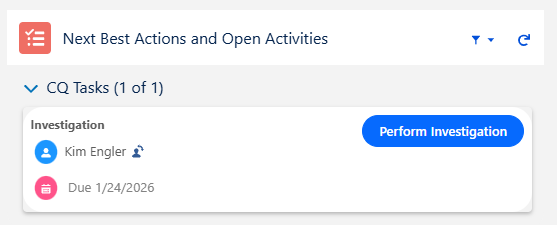
From the CQ record, click the Perform Investigation button.
-
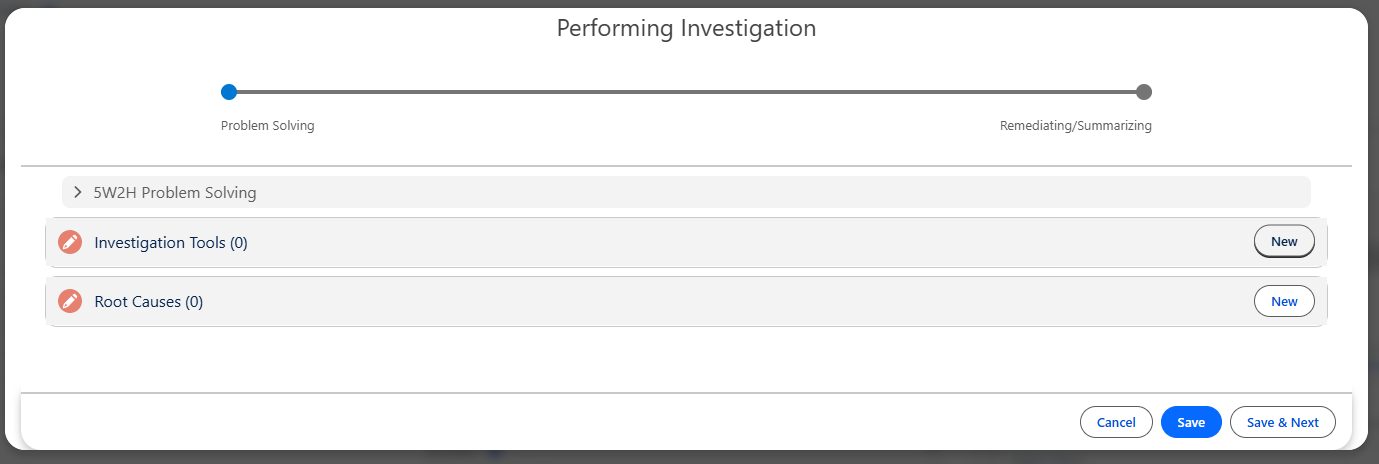
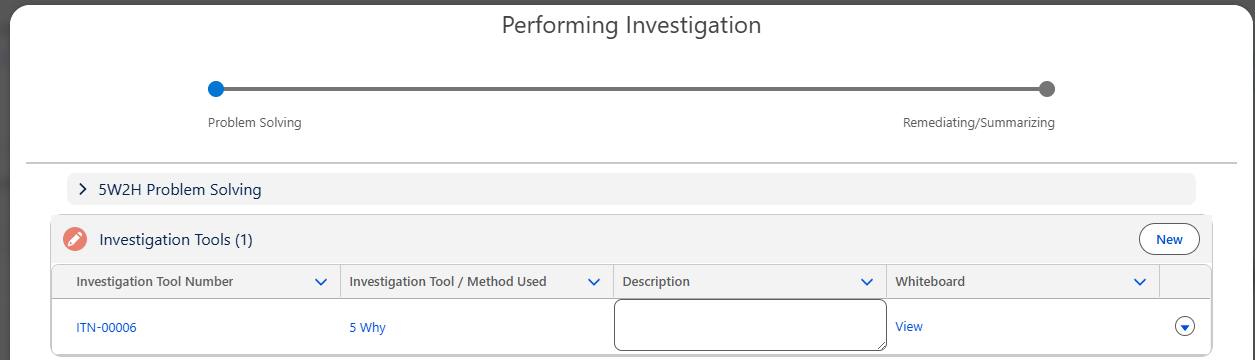
From the Performing Investigation Form, click the New button for Investigation Tools.
CAPA Investigation Form
-
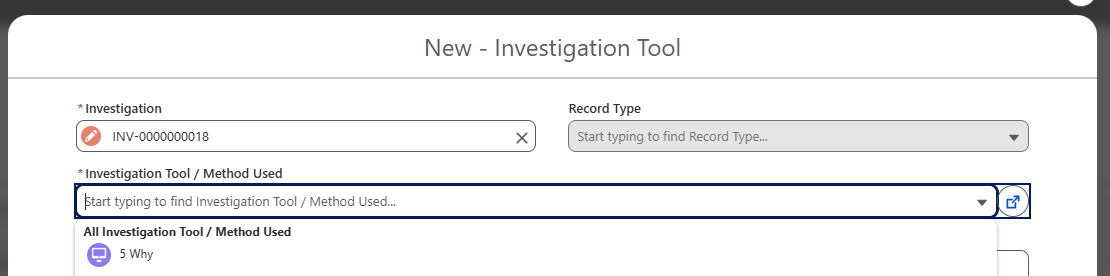
Select the Investigation Tool/Method to be used to conduct the Investigation.
-
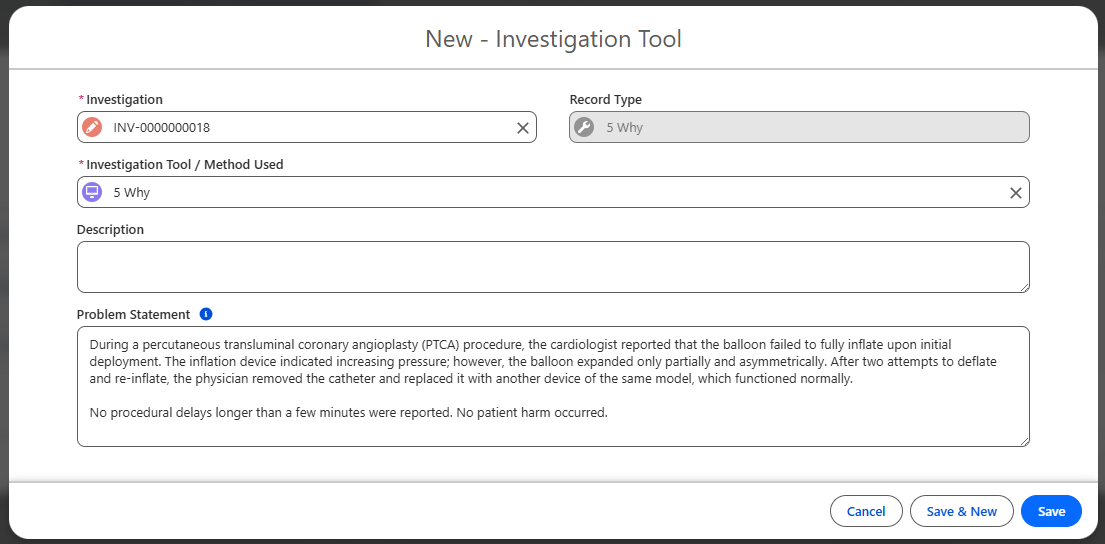
Enter a Description and update the Problem Statement which transferred from the record if needed.
-
Click the Save button. Add more Investigation Tools as needed.
-
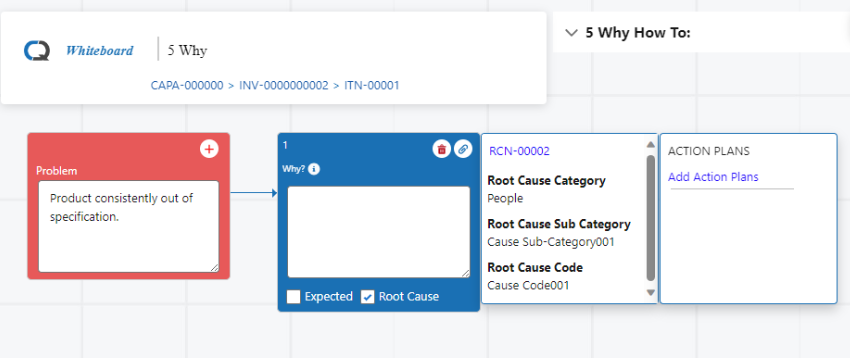
If selected, the baseline 5 Why Investigation Tool will automatically prompt for a Whiteboard to display when selected as the Tool.
-
5 Why Investigation is currently not available for Complaint Investigations.
-
See your CQ Administrator to create Investigation Tools which can be selected for your organization's various Investigations.
-
Continue the Investigation process depending on next steps prompted by the system.
Results
-
The Investigation Tool(s) is saved.
-
Investigation Tools can be Edited and Deleted anytime prior to Completing Investigation Approvals.
Troubleshooting
-
Check back for new articles
Additional Resources
CQ Resources
-
Completing 5 Why Investigations
-
Performing Audit Finding Investigations
-
Performing CAPA Investigations
-
Performing Complaint Investigations
-
Performing Nonconformance Investigations
-
Performing Safety Incident Investigations
-
Performing Safety Observation Investigations
-
Creating New Investigation Tools
Summer 2026