
Reopening NCs
For Permission Set Groups: CQ Base User PSG, CQ NC Owner PSG
The NC has been voided or closed; however, it now needs to be reopened to add additional notes or attachments.
-
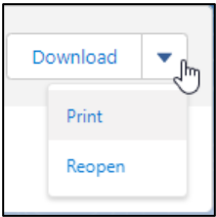
From the NC record, select the Reopen option from the Action Menu.
-
Enter Comment and Password if needed, and click the Save button.
Results
-
The NC moves back to the Complete Status and Verification Stage.
-
Reopening NC is logged in the Nonconformance Record Activities section under the History tab.
-
The only thing that can be done at this time in the NC record is to add Notes and Attachments, then perform Close or Void.