
Purpose
As a myCQ User, you can extract key 5W2H details from an issue description to begin Nonconformance creation.
Prerequisites
Installed Package(s): CQ Core, CQ.AI - Summer 2026
Product: QualityQuest, Platform & Technology
Function: CQ.AI Agent
User Profile: Standard User
Permissions: CQ Base User PSG, CQ NC Owner PSG, CQSS AI User PSG
Steps
-
From the App Launcher, open myCQ.
-
Click Report an Issue.
-
In the Issue Types window, click Try It next to myCQ Assistant.
-
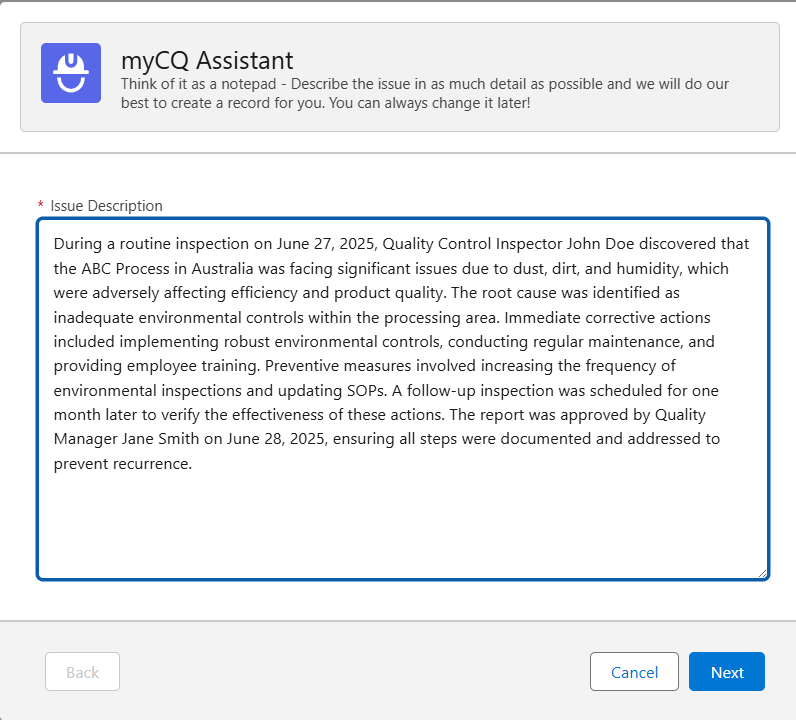
Enter the Issue Description.
Example:
-
Click Next.
-
Review the populated What field and update it if needed.
-
Review and update any populated Where, Who, How Many, When, Which, and How fields.
Expected Outcome
-
5W2H details populate when the description includes matching information.
-
Fields without matching details remain blank.
-
If What cannot be identified, a statement of no more than 12 words is created.
-
All 5W2H fields remain editable.
-
Next is available to continue.
-
Previous allows return to the prior step.
Additional Resources
ComplianceQuest
We Value Your Feedback
To provide feedback or suggestions to improve the help content on this page click here.