
Purpose
As a Document Approver, you can compare document versions to identify changes that affect accuracy, compliance, or required actions before completing your decision.
Prerequisites
Installation Package: CQ Core, CQ Approval, CQ Doc Extension
Product: QualityQuest
Function: Controlled Documents, Template Documents
User Profile: Standard User
Permissions: CQ Base User PSG, CQ Document Approver PSG
Record Approval Status: In Approval
Record History: A new Document Revision must exist
Configurations: Doc Compare
Steps
-
Open the Email notification or a Home tab notification for request approval.
-
Click Compare in the Next Best Actions section.
-
Click the Draft content to view and compare.
Example
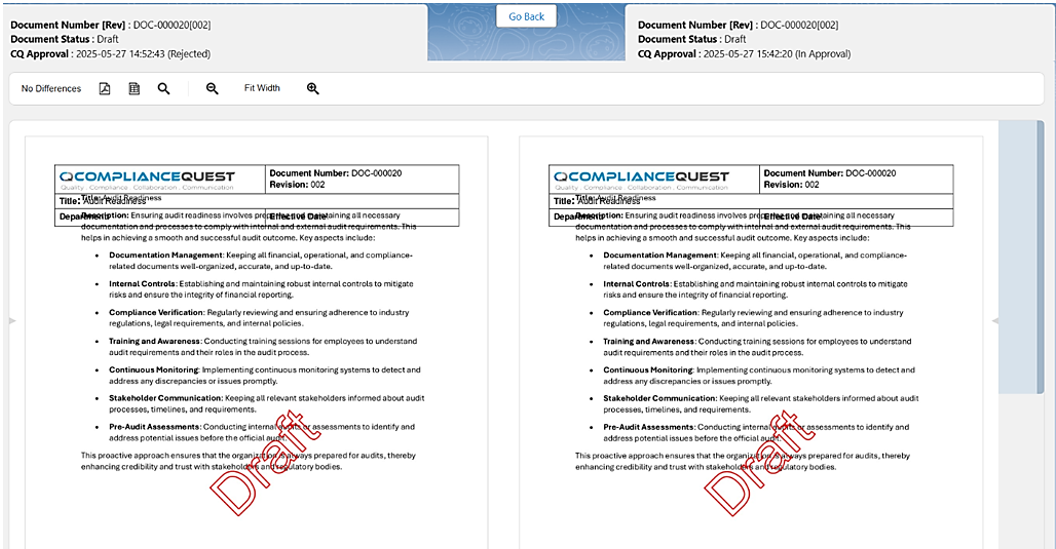
Expected Outcome
-
The Draft documents display in read-only format for comparison.
Additional Resources
ComplianceQuest
We Value Your Feedback
To provide feedback or suggestions to improve the help content on this page click here.