
Overview
Trainers can record Training History for personnel directly from a Controlled Document record in CQ. This functionality is useful in specific scenarios where training needs to be documented outside the standard trainee sign-off process.
Common use cases include:
-
Trainer Sign-off: Recording training completion for personnel listed on the Needs Training list by bypassing the trainee sign-off step.
-
Adding Additional Personnel: Documenting training for individuals who attended a session for a Controlled Document they were not originally required to train on, ensuring they receive proper credit.
By using these options, Trainers can maintain accurate training records and ensure compliance with organizational and regulatory requirements.
Prerequisites
Available in: Controlled Documents
Installed Package: CQ Core - Winter 2025
Optional Extension Packages: CQ Forms, CQ Laboratory Issues, CQ Process, and CQ EHS - Winter 2025
User Profile: Standard User
Permissions: CQ Base User PSG and CQ Trainer PSG
Training Requirement: Must be in a Status of Active
Instructions
-
From the Controlled Documents tab, locate and select the Pre-release or Current Document.
-
From the Controlled Document record, click the Training tab.
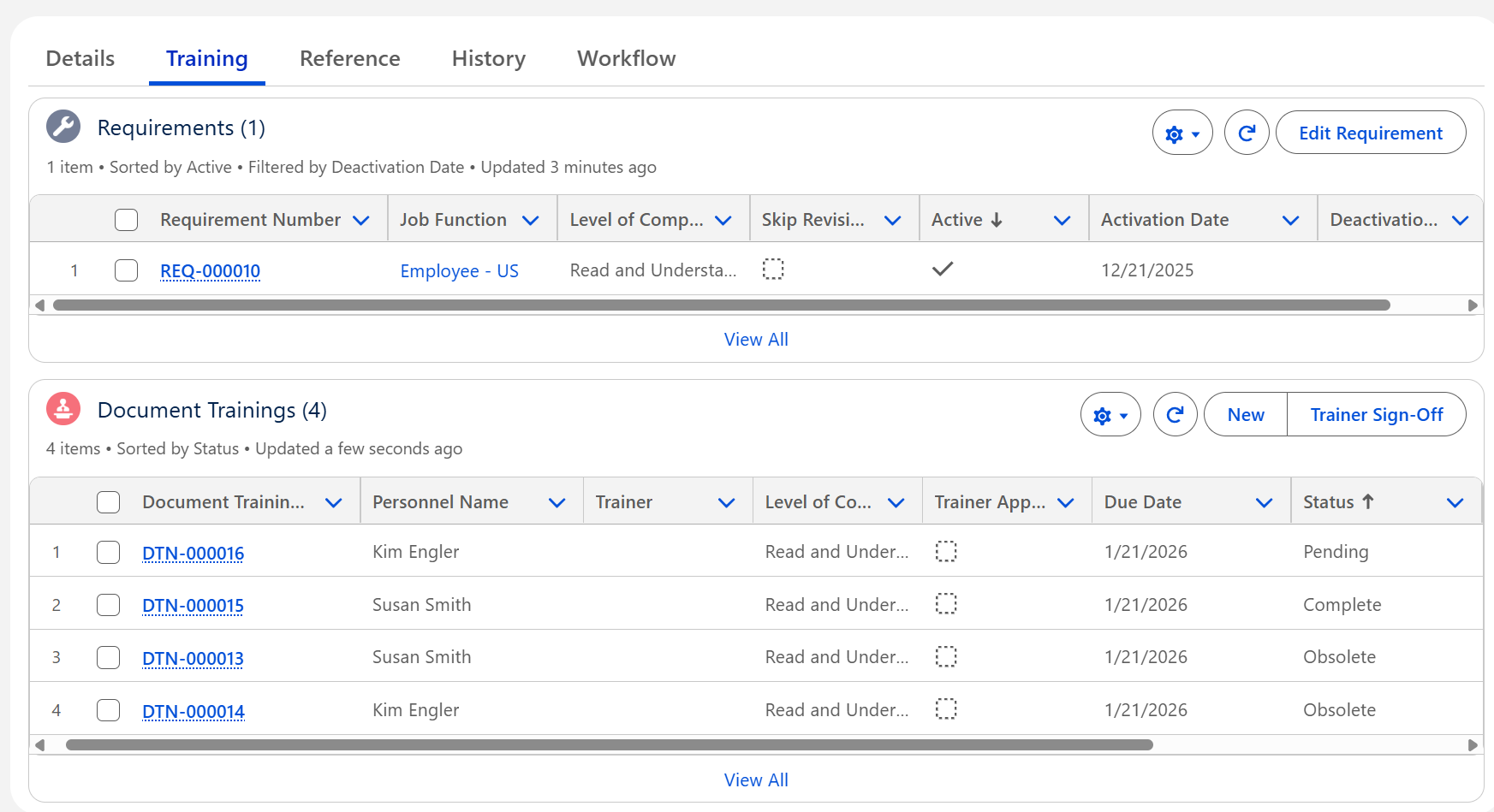
Record Training for Personnel
-
From the Document Trainings section, click the New button.
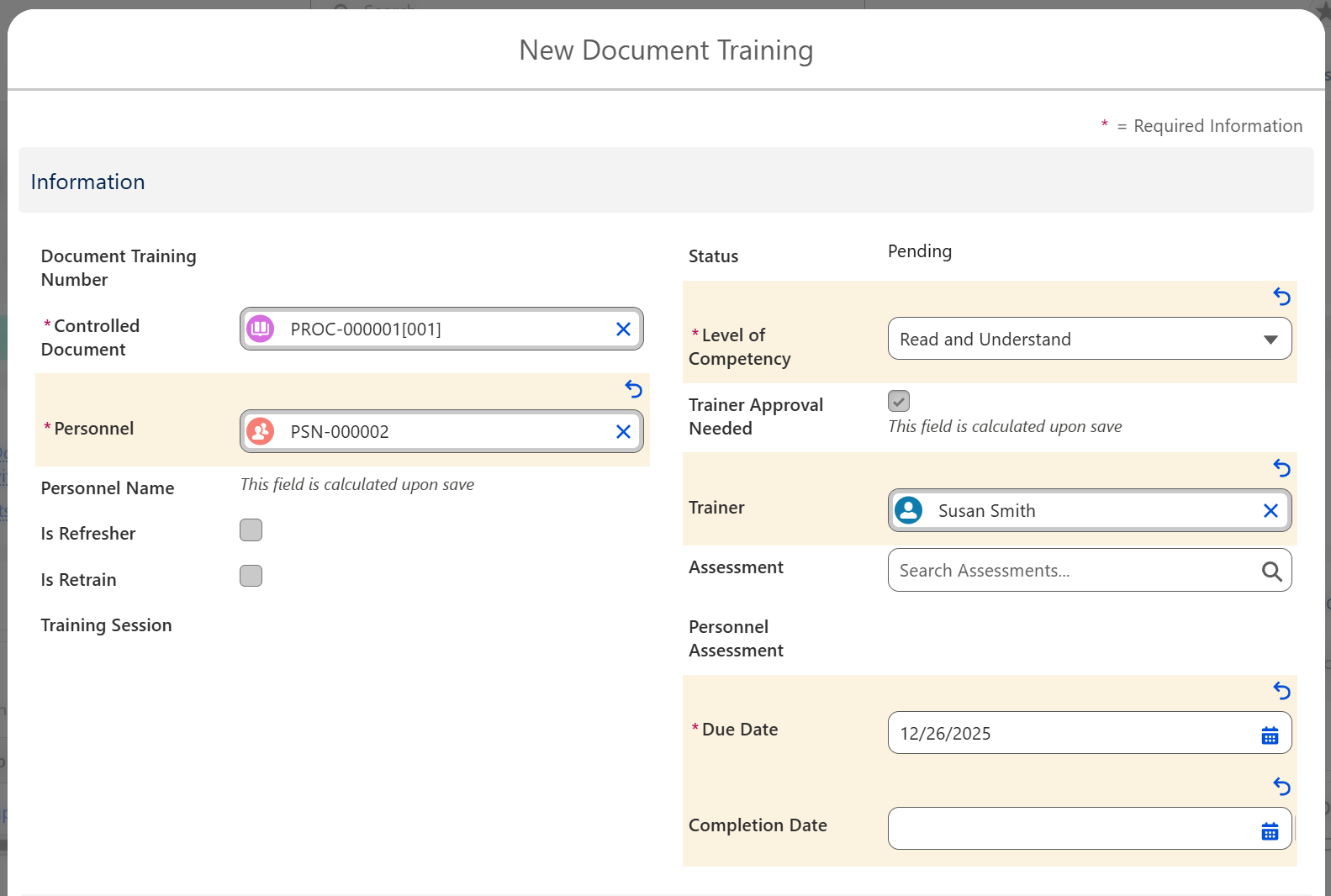
-
Select Personnel, Level of Competency, Trainer, and Due Date (leave Completion Date blank).
-
Click the Save button and follow steps below to Complete Trainer Sign-Off.
Complete Trainer Sign-Off for existing Personnel
-
From the Document Trainings section, select the Personnel and click the Trainer Sign-Off button.
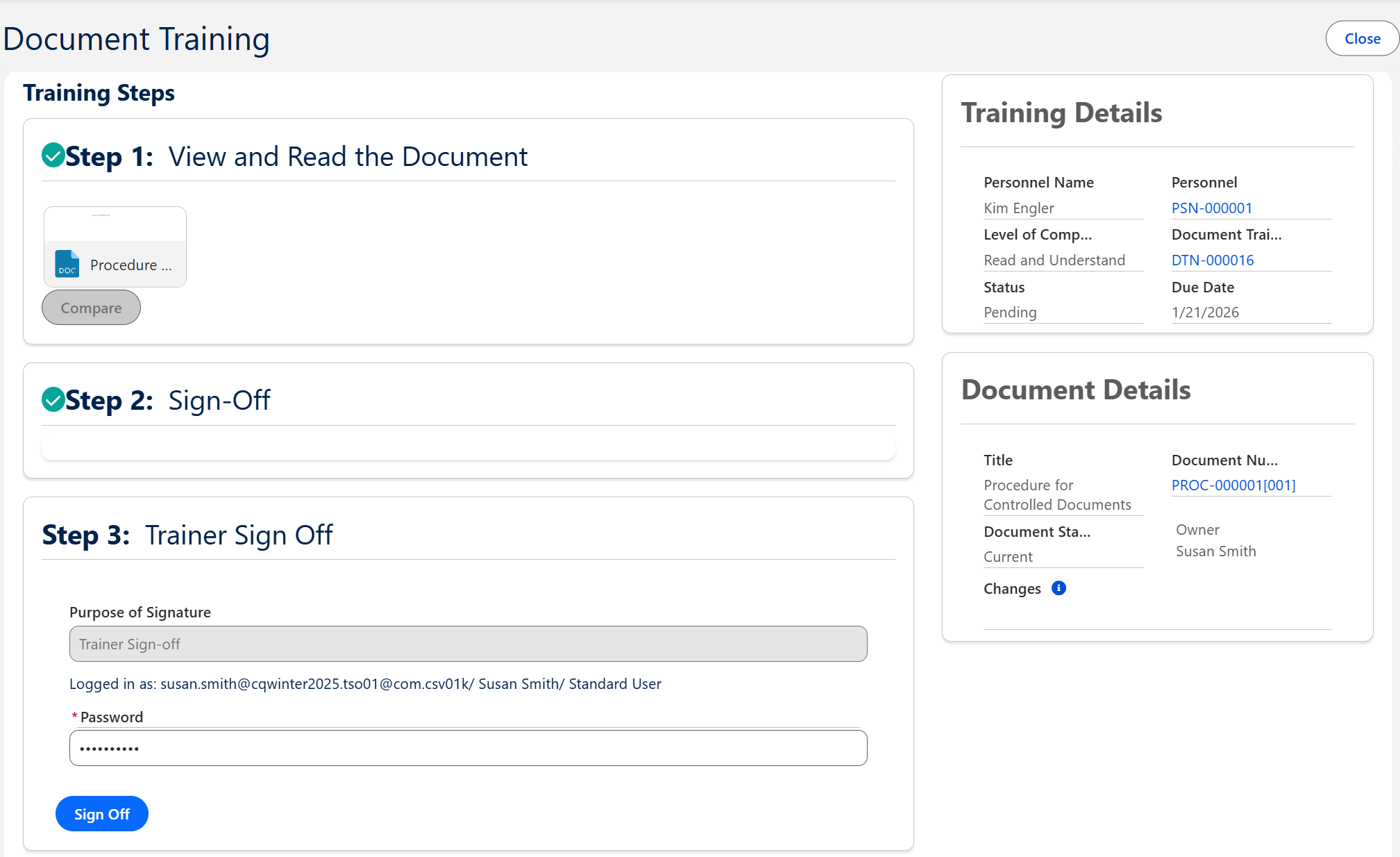
-
Enter Comment and Password if required for eSignature Policies.
-
Click the Sign Off button.

Results
-
Training History is now completed for Personnel.
Troubleshooting
-
Check back for new articles
Additional Resources
CQ Resources
-
Editing Document Training Requirements
-
Signing off as Trainer for Document Training
-
CQ End User Guide - Training Management
Summer 2026