
Overview
Creating a Process FMEA documents potential failures and controls in manufacturing, assembly, and logistics, and is best initiated from the Process record where steps and context already live. Provide a Title and select the Process. The system auto-adds Process Steps to the PFMEA, helping teams analyze risks where work actually occurs and ensuring the PFMEA is visible from the Design File for end‑to‑end traceability and publishing.
Prerequisites
Available in: CQ Design
Installed Package(s): CQ Core, CQ Design Extension & CQ Process Extension - Winter 2025
Optional Extension Packages: myCQ & CQ PLM- Winter 2025
User Profile: Standard User
Permissions: CQ Base User PSG, CQ Design Owner PSG, and CQ Design Team Member PSG
Prerequisite
It is recommended that Design Owners create Process FMEA records directly from the associated Process record within the Design File, using the Process FMEA section of the Process record.
Instructions
-
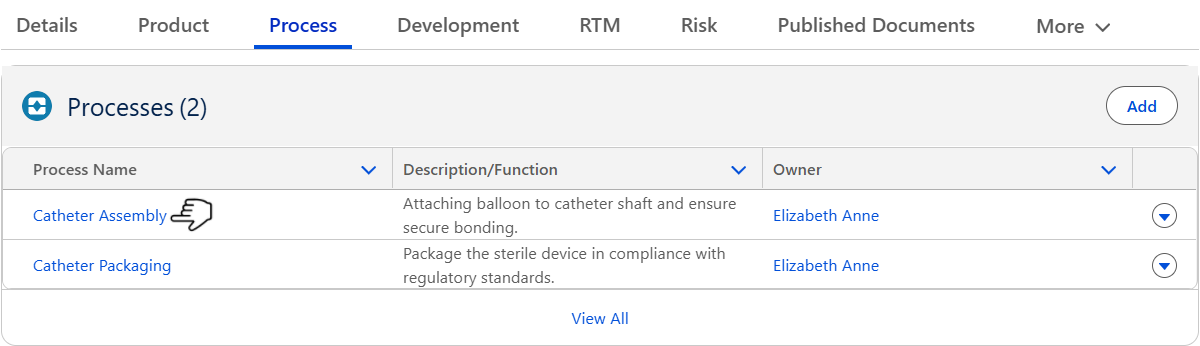
From the Design File record, Process tab, click on the appropriate Process Name for creating its associated Process FMEA.
-
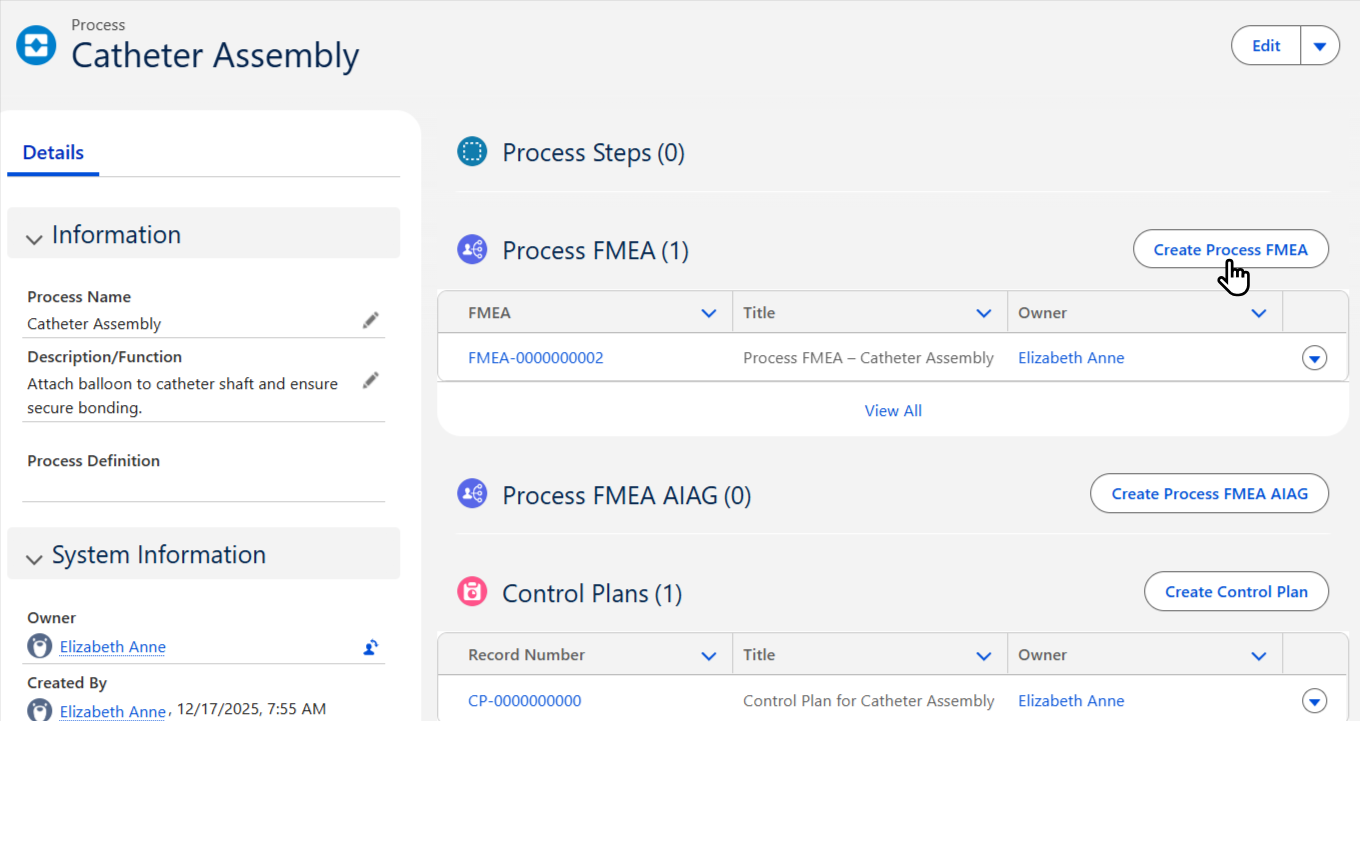
From the Process record, Process FMEA tab, click on Create Process FMEA.
-
Enter the Title.
-
Optionally, enter the Description.
-
Click the Save button or Save & New for additional Process FMEAs.
Results
-
The Process FMEA linked to the Design File record is visible.
Troubleshooting
-
Check back for new articles