
Purpose
As a Record Owner, you triage a nonconformance to confirm the record is complete and ready for evaluation. You review the details, verify accuracy, and determine the next steps so the nonconformance can move forward in the workflow.
Prerequisites
Installation Package: CQ Core, myCQ Extension, CQ Supplier Central, CQ Supplier Performance, CQ Ratings Framework, CQ Embedded Analytics, and CQ AI Extension
Product: QualityQuest and Platform Apps
Function: CQ NC Triage
User Profile: Standard User
For Permission Set Groups: CQ Base User PSG, CQ NC Owner PSG
Steps
-
NC Owners can access the Nonconformance from their email or the Nonconformance tab.
Off-the-shelf, all Nonconformances submitted for Triage will display under the default CQ Nonconformance Default Queue. Additionally, Queues can be setup by Department (i.e, Manufacturing).
Members of the Queue can also access Nonconformances submitted for Triage from the Home tab. See your CQ Administrator to setup Queues for Nonconformances.
-
Select the Nonconformance link to access the NC record.
-
From the NC record, select the Change Owner icon adjacent to the NC Queue Name under Next Best Actions to change the owner to the user who will triage the Nonconformance.
-
Select a User to be the new Owner from the Search Users field.
-
Optionally, check the checkbox to Send notification email informing selected User that they are now the Owner of this NC record.
-
Click the Change Owner button.
-
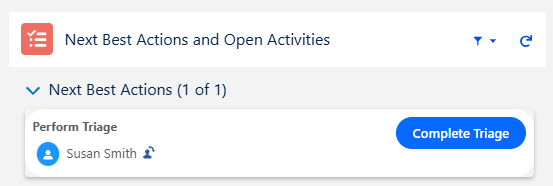
Verify Nonconformance information and click the Complete Triage button.
If not using Approval Matrices to pre-define Approver for NC, click the Workflow tab and New button to add Approvers for the NC as needed. See Define Approvers for more information.
-
Update Priority if needed.
-
Select the option for Invalid Nonconformance?
-
If Nonconformance is Invalid, select Resolution, Comment and Password if needed, and click the Save button.
-
If Nonconformance is Valid, select and follow next steps below.
Example:
Expected Outcome
-
You triage the nonconformance so it moves forward with complete and verified information.
Additional Resources
ComplianceQuest
We Value Your Feedback
To provide feedback or suggestions to improve the help content on this page click here.