
Purpose
As a Record Owner, you run Decision Trees to answer the guided questions assigned to the complaint. You complete each question in sequence and record the responses so the evaluation can move to the next stage.
Prerequisites
Installation Package: CQ Core, CQ Regulatory Reports Extension, CQ AS2 Gateway Extension, myCQ Extension, and CQ AI Extension
Product: QualityQuest and Platform Apps
Function: CQ Decision Tree Execution
User Profile: Standard User
Permissions: CQ Base User PSG, CQ Complaint Non DT Task Assignee PSG
Configurations: CQ Tasks
Steps
-
See CQ End User Guide - Complaints Regulatory Reporting to Run Decision Trees.
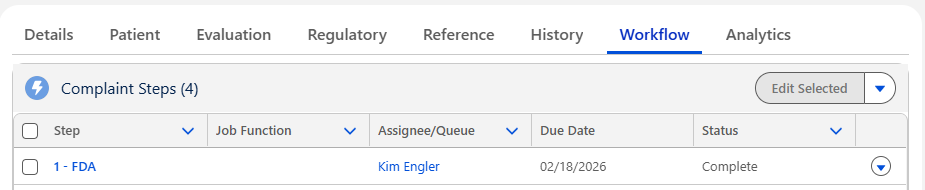
Example Decision Tree Run with no Reporting Need.
Example Decision Tree Run with Reporting Needed
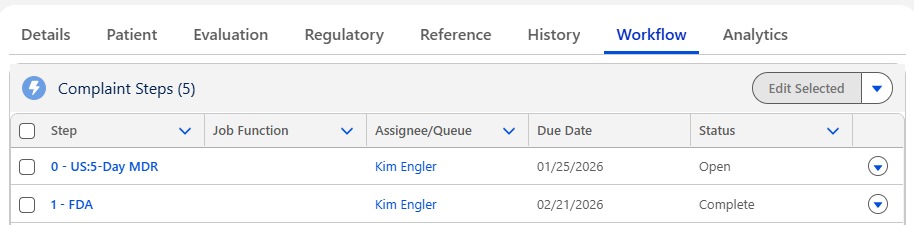
Expected Outcome
-
See CQ End User Guide - Complaints Regulatory Reporting to Run Decision Trees.
Additional Resources
ComplianceQuest
We Value Your Feedback
To provide feedback or suggestions to improve the help content on this page click here.