
Audience
Standard User
Purpose
Design Owner creates the Design File from the tab for the centralized and standardized design documentation. This enables efficient collaboration, version control, and secure access.
Prerequisites
Installed Package(s): CQ Core, CQ Design Extension & CQ Process Extension - Summer 2026
Optional Extension Packages: myCQ & CQ PLM- Summer 2026
Product: CQ Design
Function: Design Documentation Centralization
Permissions: CQ Base User PSG, CQ Design Owner PSG, and CQ Design Team Member PSG
Instructions
-
From the App Launcher, search for Design Files to open the tab.

-
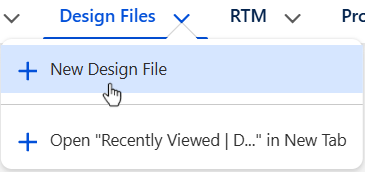
From the Design Files tab, select + New Design File from the drop-down arrow or click the New button.
-
Enter the Title.
-
Stage defaults to Pre-production; leave as is.
-
Optionally, enter the Description.
-
Optionally, select Org. Division, Org. Business Unit, Org. Region, and Org. Site information.
-
Optionally, select the Department responsible for the Design File.
-
Click the Save button or Save & New for additional Design Files.
Expected Outcome
-
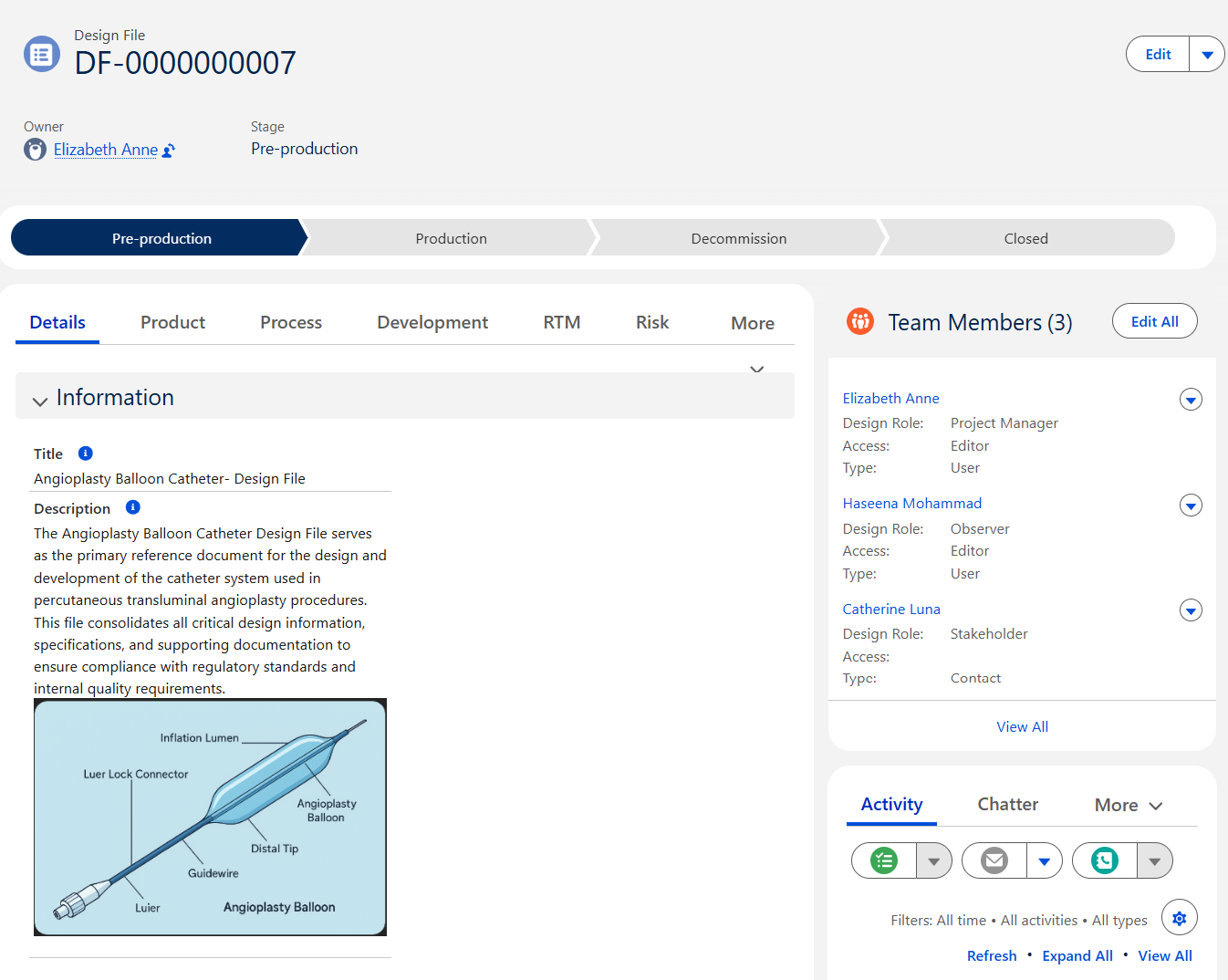
The Design File record is created and assigned a unique number.
-
The Owner of the Design File record defaults to the User who created it.
-
The Design File record is in the Pre-production Stage.
Next Steps
Troubleshooting
Common Errors while creating a Design File
-
Insufficient Permissions: User lacks the correct Permission Set Group (e.g., CQ Design Owner PSG) or custom permissions.
-
eSignature Configuration Issues: Missing or incorrect eSig credentials when required.
-
Incorrect Stage or Status Settings: Attempting to create a Design File in a stage that is restricted by workflow configuration.
Additional Resources
Refer the below links for more information on Configuring the necessary Design File fields & Creating the Design File.
ComplianceQuest