
Purpose
As a Change Order Owner, add Controlled Documents to an Immediate Change that require the same update or approval.
Prerequisites
Installation Package: CQ Core
Product: QualityQuest
Function: Immediate Change
User Profile: Standard User
Permissions: CQ Base User PSG and CQ Change Order Owner PSG
Record Stage: In Progress
Records: Controlled Documents must exist in a Draft Status and not linked to Planned Changes
Steps
-
Open the Immediate Change record.
-
Open the Changes tab.
-
Click New in the Document Changes section.
-
Select the required Document Revisions. Then click Save.
-
Click Save. To create a new Document Change, click Save & New.
The system supports up to 199 document change records.
Example
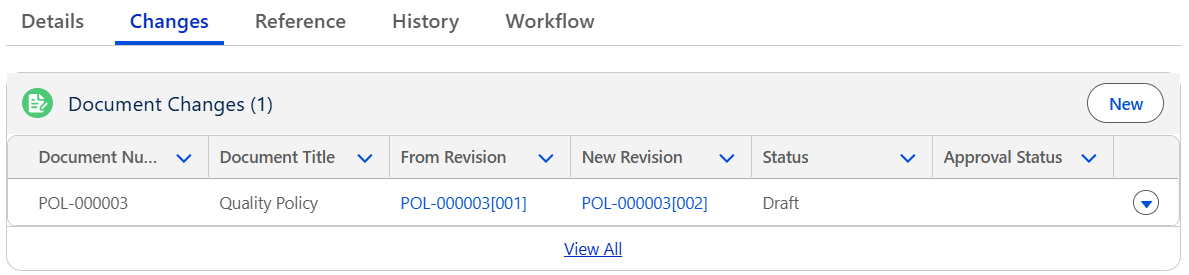
Expected Outcome
-
Document Changes appear in the Document Changes section.
-
The Document Change Status is set to Draft.
-
The Complete button appears for Document Owners.
Additional Resources
ComplianceQuest
We Value Your Feedback
To provide feedback or suggestions to improve the help content on this page click here.