
Purpose
As a Document Owner, you can add Document References to link related documents and record fulfilled training requirement references. This action keeps supporting materials connected to the document and shows which documents users must review for training.
Prerequisites
Installation Package: CQ Core
Product: QualityQuest
Function: Controlled Documents, Template Documents
User Profile: Standard User
Permissions: CQ Base User PSG, CQ Document Owner PSG
Record Status: Draft, Pre-Release, Current, Pre-Expire
Related Document Status: Draft, Pre-Release, Current, Pre-Expire
Steps
-
Open the Controlled Document record.
-
Open the Reference tab. Click New for Related Documents.
-
Specify this information:
-
Referenced Document
Specify the referenced document. -
Specific Rev
Specify specific revision, if applicable. -
Fulfilled Requirement
Specify fulfilled requirement for training, if applicable. If Document Training is fulfilled, Personnel will also receive credit for any Fulfilled Requirement Related Documents.
-
-
Click Save. To add another Related Document, click Save & New.
Note: You can edit, or delete Related Documents as needed until the document reaches the Status of Expired.
Example
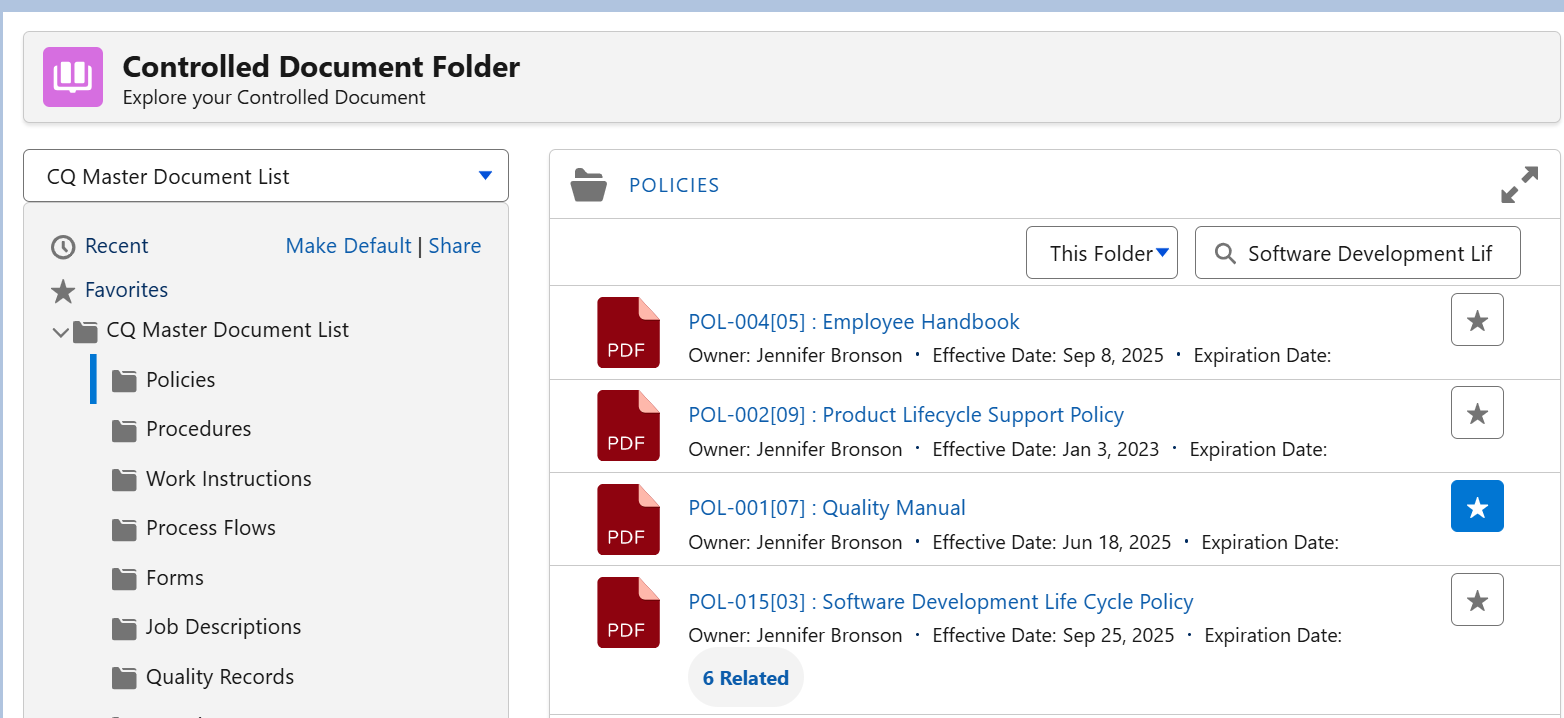
Expected Outcome
-
The Related Document is now linked.
-
Related Document links can be viewed from CQ Documents.
Additional Resources
ComplianceQuest
-
Tracking Document Distribution
We Value Your Feedback
To provide feedback or suggestions to improve the help content on this page click here.